Skip to content
Book a demo
3D configurator

Salsita 3D configurators run your business from product rules to production output.

Explore

3D configuratorLive demosFeatures

Compare Salsita with

ZakekeThreekitExpiviTactonCylindoVibe-coding
Home and office furnitureCabinets and kitchensOutdoor livingConstruction products
See live demos by industry

Retail and consumer

E-commerce and retailJewelry and luxury
40% lower operational costsKilo2–4x faster sales cycleL’Atelier Paris90% less manual workEasysteel
See all success stories

Every story

KiloL’Atelier ParisModulineAzencoAlulivingEasysteelCentroSunlife
Dealer network playbookSales configurator guideB2B sales playbookCabinets playbook
See all insights and assets

Learn

BlogGlossary
Discover Salsita

The team that builds and runs your configurator.

Company

About usCareers

Work with us

Contact
3D configurator

Explore

Live demosFeatures

Compare Salsita with

ZakekeThreekitExpiviTactonCylindoVibe-coding
See live demos by industry

Manufacturing

Home and office furnitureCabinets and kitchensOutdoor livingConstruction products

Retail and consumer

E-commerce and retailJewelry and luxury
All success stories

Furniture and kitchens

KiloL’Atelier ParisModuline

Outdoor and construction

AzencoAlulivingEasysteel

Consumer products

CentroSunlife
Insights and assets

Learn

BlogGlossary

Guides

Dealer network playbookSales configurator guideB2B sales playbookCabinets playbook
Discover Salsita

Company

Careers

Work with us

Contact
Book a demo

Štefánikova 18/25
150 00 Prague 5, Czechia

3D configurators for complex products. Offices in Prague, Ostrava and Arlington, MA.

Book a demo

Platform

3D configuratorLive demosFeaturesSuccess stories

Industries

FurnitureCabinets and kitchensOutdoor livingConstructionE-commerce and retailJewelry and luxury

Compare

vs Zakekevs Threekitvs Expivivs Tactonvs Cylindovs Vibe-coding

Resources

BlogGlossaryInsights and assets

Company

About usCareersContact
© 2026 SalsitaPrivacy policyCookie policyWhistleblowing
All features

Admin panel, from a changed price to the live configurator

Your own team changes prices, options, materials and starting designs in an editor, and publishes them to the live configurator.

Book a demoSee what your team changes

What your team changes itself

Each change is made in the editor, published, and then shows in the configurator.

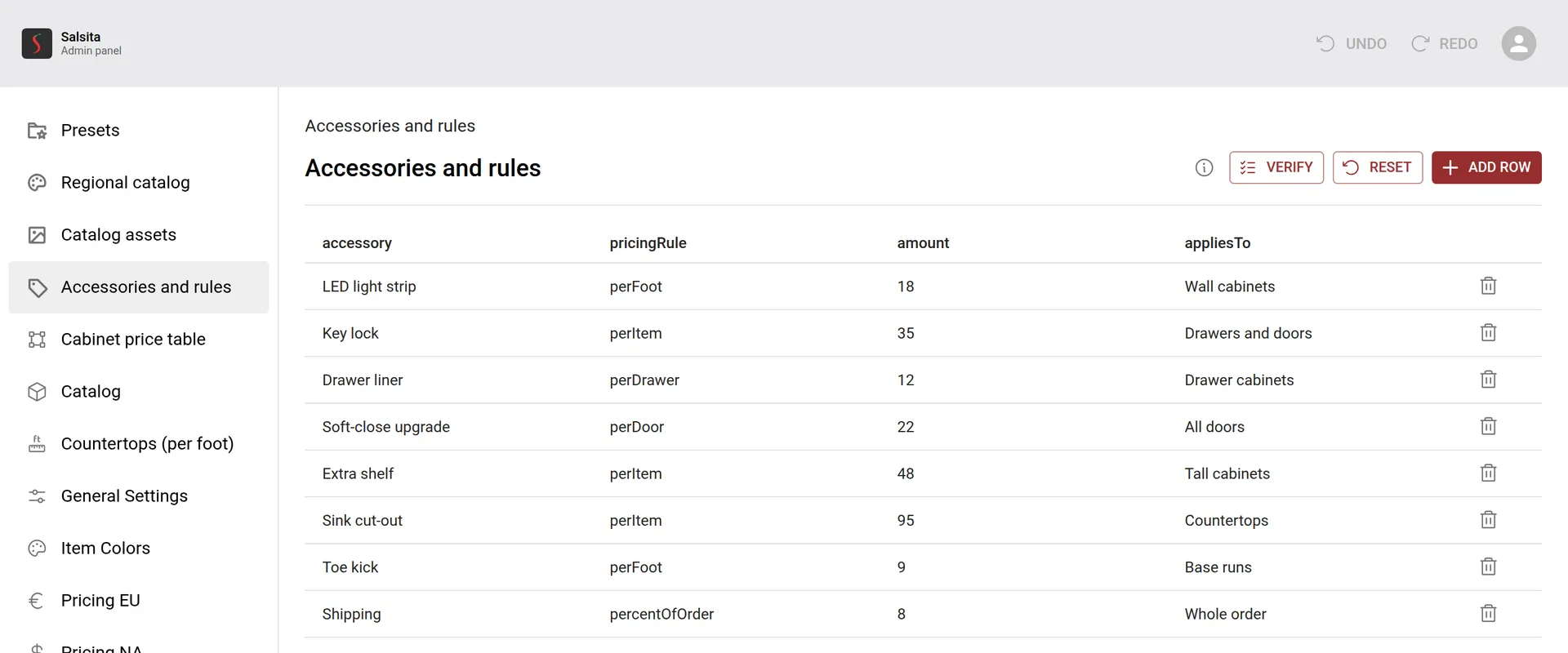
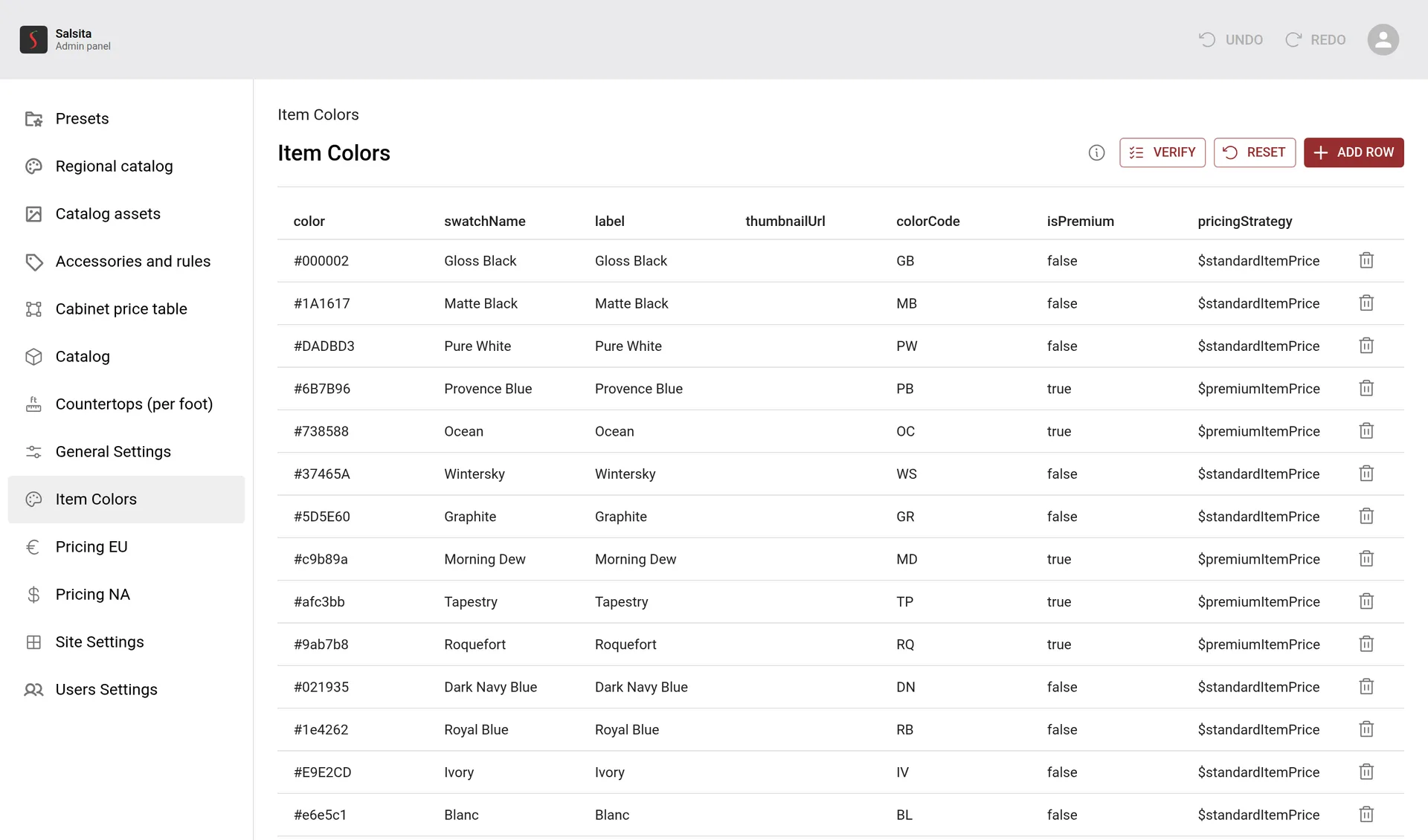
The admin's cabinet pricing page: price tables with one editable price for each height and width of a base cabinet and a drawer cabinetThe admin's accessories and rules page: a row for each accessory with its pricing rule, such as per foot or per drawer, and its amountThe admin's materials page: a list of materials with swatches, and a panel to edit one with its 3D texture, swatch thumbnail, name and finishThe admin's item colours page: a list of colours, each with its colour code, a premium flag and its pricingThe admin's panel for editing a starting design: its name, category, description and tagsThe admin's catalogue page: a list of items such as base cabinet, sofa and coffee table, with their names in English, Czech, German and French

Works with

All features
  • Visual CPQ

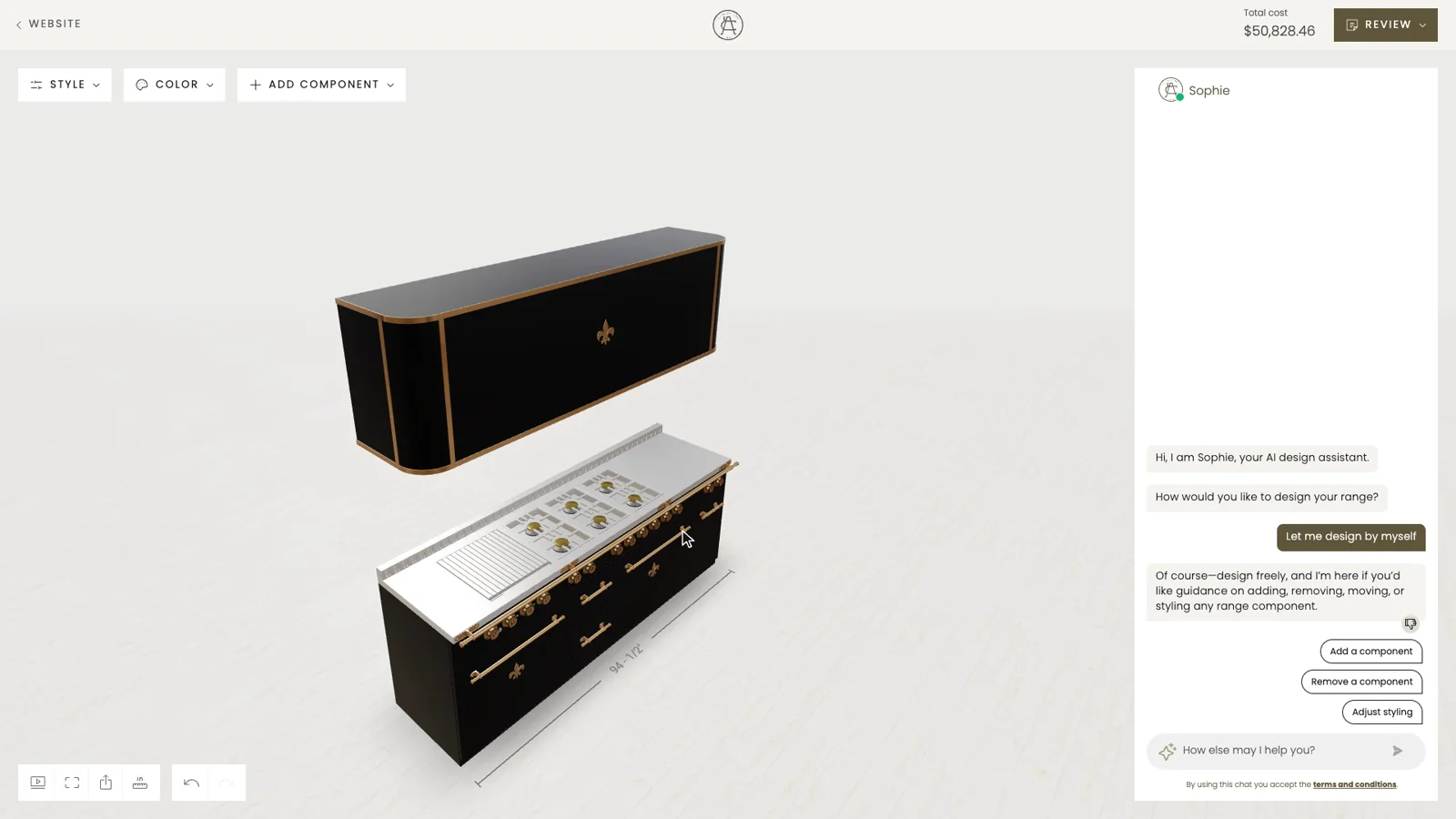
    Your customer changes the product and the price follows at once, line by line, from the prices and rules you set.
  • Dealers and roles

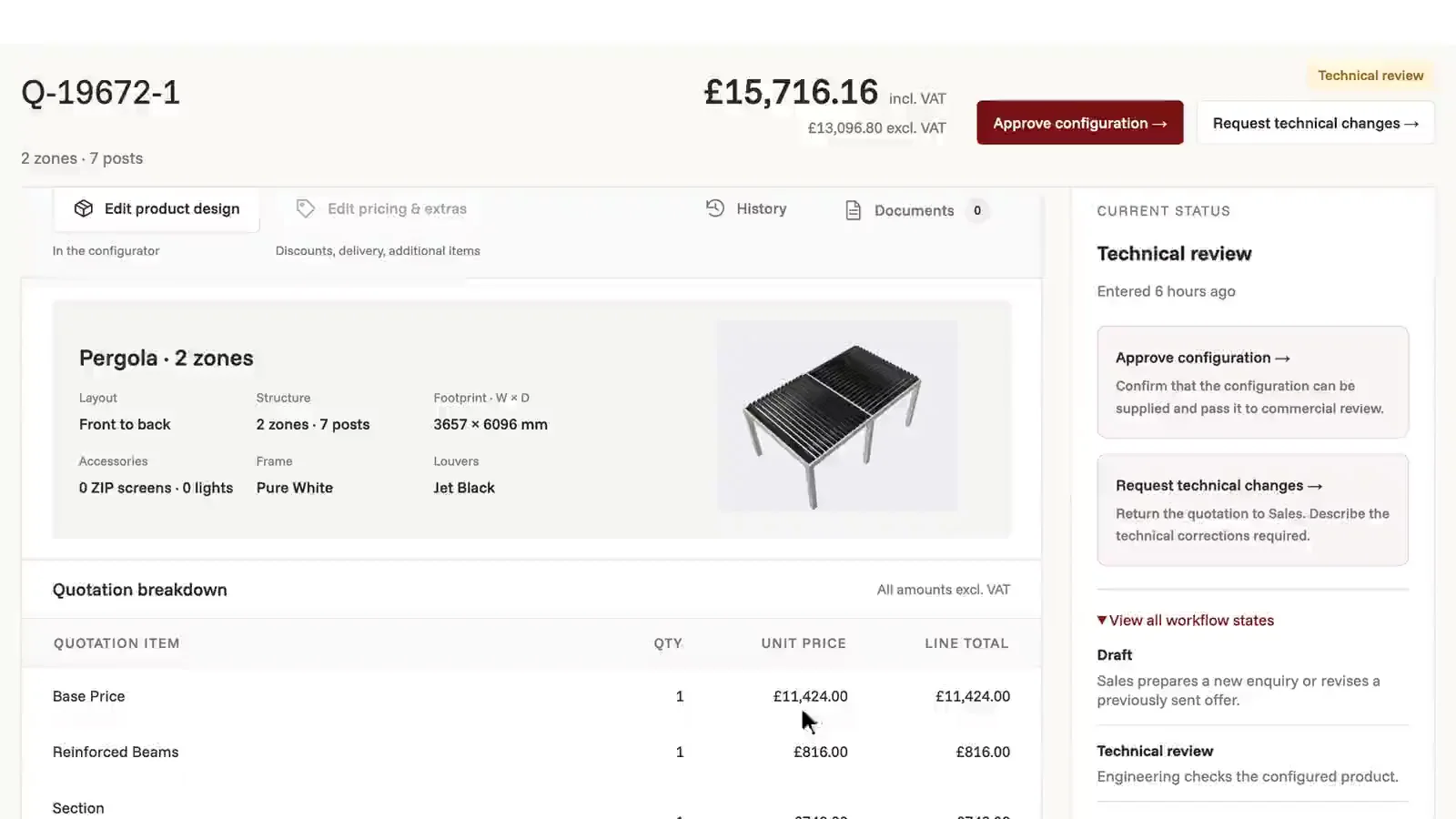
    Your customers, dealers, sales team and administrators work in the same configurator, each with their own quotations and their own actions.
  • ERP and CRM integration

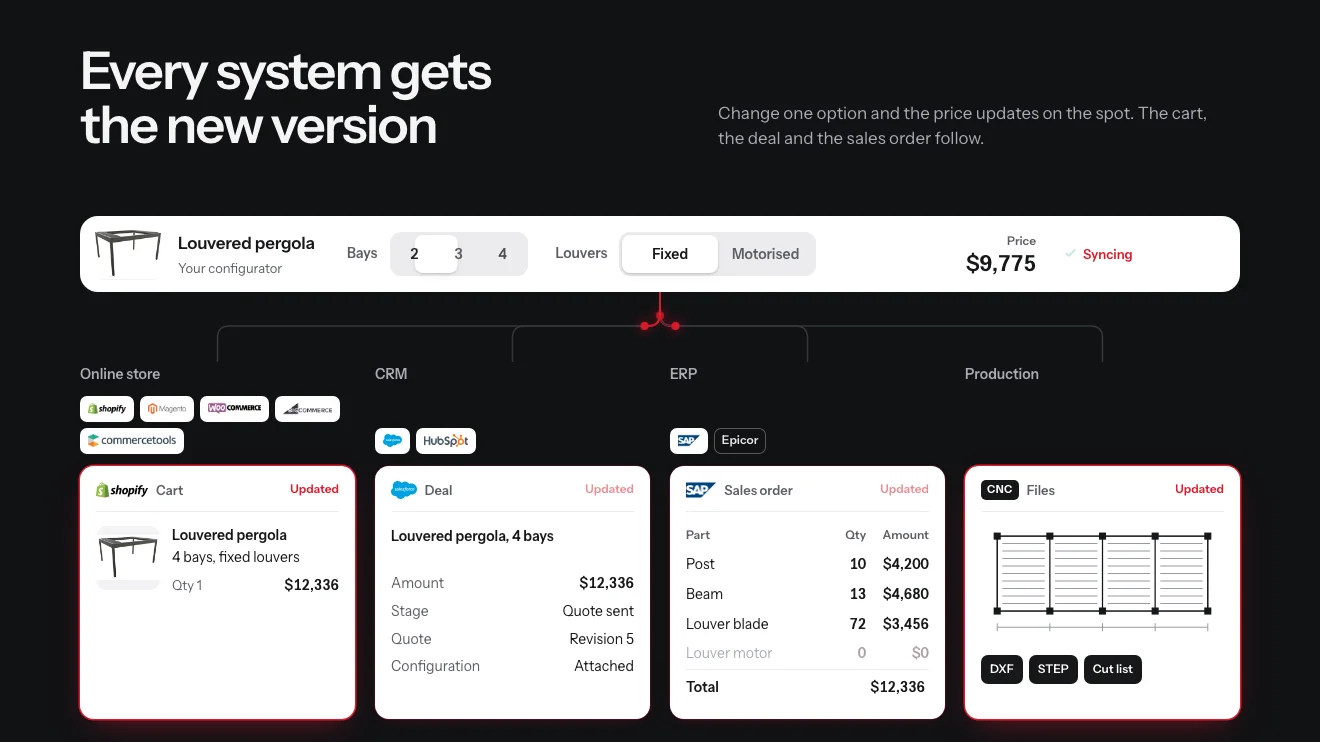
    On your product, each finished configuration goes out to the systems you run: the quote to your CRM, the order and its parts to your ERP, the files to your factory.

Common questions

Not on the list? Ask it on a 30‑minute call.

What can our team change?

The prices of the product and its components, the lists of options, materials and colours your customers choose from, and the starting designs they begin with. Catalogue items and their properties are managed in the same place.

What can our team change?

The prices of the product and its components, the lists of options, materials and colours your customers choose from, and the starting designs they begin with. Catalogue items and their properties are managed in the same place.

Which kinds of pricing does it handle?

A flat price for each option value, a price for each added unit, a price that follows a dimension, and tables for prices that depend on two or more dimensions.

Do we need Salsita for a price change?

Not for routine updates. Your administrators make the change in the editor and publish it. The editor itself is set up for your product when we build your configurator.

What is a starting design?

A configuration your administrators save for customers to begin from. Any valid configuration can be one, and they can be grouped into categories.

Can the price list live in a spreadsheet?

Yes, where that is set up for you: a table can be backed by a Google Sheet or an Excel workbook. The sheet is checked before it is published, and a mistake that breaks a rule stops the publish.


Members of

  • Home Furnishings Association logo
  • American Home Furnishings Alliance logo
  • Kitchen Cabinet Manufacturers Association logo
  • Modular Building Institute logo

Want this on your configurator?

Tell us what your team needs to change itself. We set the admin up on your product and show it to you in a 30‑minute session.

You’ll talk to Anthony TemperanteVP Sales and Marketing, Salsita

This site is protected by reCAPTCHA and the Google Privacy Policy and Terms of Service apply.

  1. You send a link to your files
  2. We build the prototype configurator
  3. You try it on the call

Trusted by Siemens and Middleby, with 200+ configurators live.