Skip to content
Book a demo
3D configurator

Salsita 3D configurators run your business from product rules to production output.

Explore

3D configuratorLive demosFeatures

Compare Salsita with

ZakekeThreekitExpiviTactonCylindoVibe-coding
Home and office furnitureCabinets and kitchensOutdoor livingConstruction products
See live demos by industry

Retail and consumer

E-commerce and retailJewelry and luxury
40% lower operational costsKilo2–4x faster sales cycleL’Atelier Paris90% less manual workEasysteel
See all success stories

Every story

KiloL’Atelier ParisModulineAzencoAlulivingEasysteelCentroSunlife
Dealer network playbookSales configurator guideB2B sales playbookCabinets playbook
See all insights and assets

Learn

BlogGlossary
Discover Salsita

The team that builds and runs your configurator.

Company

About usCareers

Work with us

Contact
3D configurator

Explore

Live demosFeatures

Compare Salsita with

ZakekeThreekitExpiviTactonCylindoVibe-coding
See live demos by industry

Manufacturing

Home and office furnitureCabinets and kitchensOutdoor livingConstruction products

Retail and consumer

E-commerce and retailJewelry and luxury
All success stories

Furniture and kitchens

KiloL’Atelier ParisModuline

Outdoor and construction

AzencoAlulivingEasysteel

Consumer products

CentroSunlife
Insights and assets

Learn

BlogGlossary

Guides

Dealer network playbookSales configurator guideB2B sales playbookCabinets playbook
Discover Salsita

Company

Careers

Work with us

Contact
Book a demo

Štefánikova 18/25
150 00 Prague 5, Czechia

3D configurators for complex products. Offices in Prague, Ostrava and Arlington, MA.

Book a demo

Platform

3D configuratorLive demosFeaturesSuccess stories

Industries

FurnitureCabinets and kitchensOutdoor livingConstructionE-commerce and retailJewelry and luxury

Compare

vs Zakekevs Threekitvs Expivivs Tactonvs Cylindovs Vibe-coding

Resources

BlogGlossaryInsights and assets

Company

About usCareersContact
© 2026 SalsitaPrivacy policyCookie policyWhistleblowing
All features

Dealers and roles, from one configurator to everyone who sells with it

Your customers, dealers, sales team and administrators work in the same configurator, each with their own quotations and their own actions.

Book a demoWatch the film

Each role, its own screen

The same system, handed from person to person. Each sees their own work and can take only their own actions.

Designs itA second zone added to the customer’s pergola
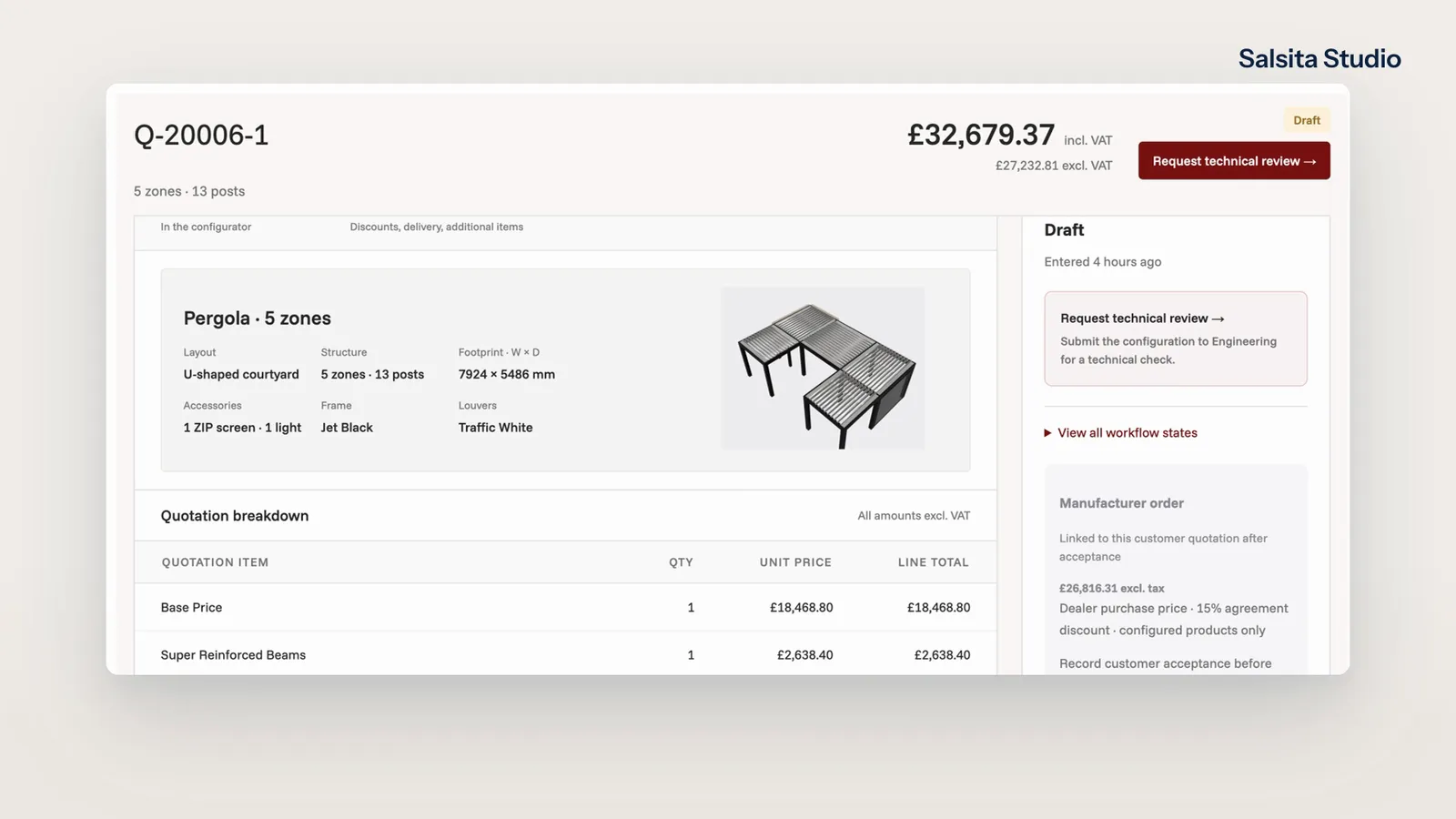
Prices the offerSales opens the pricing editor on a draft
Every dealer companyThree companies, each with its discount and its open quotations
Opens oneNorthside Outdoor’s page: 18 open quotations, 6 awaiting review
Who may do whatEngineering’s permissions: Edit pricing and terms is not ticked

Same product, four views

Buyers, dealers, sales reps and your team each get their own view of the same product, on one set of rules.

“Now our dealers can create accurate quotes in minutes, and our Project Managers only step in when needed.”

Margaux GazzanoDirector of Operations, Azenco Outdoor
Works with

All features
  • Quoting

    A configured product becomes a quotation your team reviews, approves and sends.

  • Visual CPQ

    Your customer changes the product and the price follows at once, line by line, from the prices and rules you set.

  • Analytics

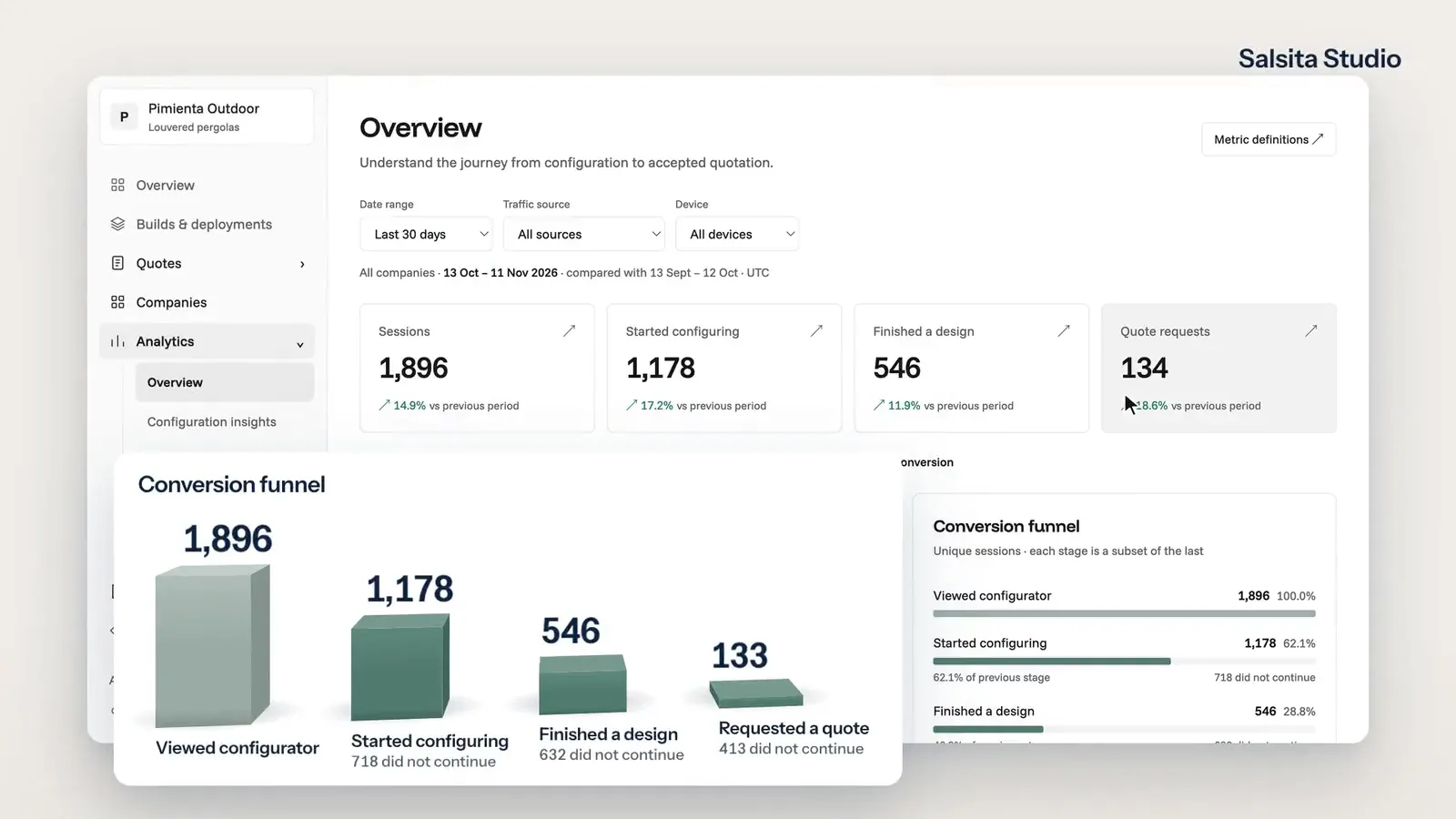
    See where visitors stop, which designs turn into quotes, and every step one visitor took before asking for a price.

Common questions

Not on the list? Ask it on a 30‑minute call.

Who can use it?

Your customers, your dealers, your own sales team and your administrators. Each person has a role, and the role decides what they see and what they can do. We set the roles up with you, on your product.

Who can use it?

Your customers, your dealers, your own sales team and your administrators. Each person has a role, and the role decides what they see and what they can do. We set the roles up with you, on your product.

Do dealers see different data from the public?

Yes. What loads for a signed-in dealer can differ from what a visitor sees, and a dealer’s company can carry its own purchase discount, as the company page shows. How your discounts and data are split is part of the setup.

Can a dealer see another dealer’s quotations?

That is agreed when we scope it. A dealer’s role is set up to cover their own company’s quotations, while your sales manager sees every company; how sign-in and access are enforced on your live site is part of the project.

Who decides what each role can do?

You do. An administrator ticks, per role, the actions its people can take, and each step of a quotation names the roles that may move it on.

Can we add a role of our own?

Yes. The roles panel lets an administrator add a role and choose its permissions.

Members of

  • Home Furnishings Association logo
  • American Home Furnishings Alliance logo
  • Kitchen Cabinet Manufacturers Association logo
  • Modular Building Institute logo

Want this on your configurator?

Tell us who sells with it today. We set up the roles on your product and show it to you in a 30‑minute session.

You’ll talk to Anthony TemperanteVP Sales and Marketing, Salsita

This site is protected by reCAPTCHA and the Google Privacy Policy and Terms of Service apply.

  1. You send a link to your files
  2. We build the prototype configurator
  3. You try it on the call

Trusted by Siemens and Middleby, with 200+ configurators live.