Skip to content
Book a demo
3D configurator

Salsita 3D configurators run your business from product rules to production output.

Explore

3D configuratorLive demosFeatures

Compare Salsita with

ZakekeThreekitExpiviTactonCylindoVibe-coding
Home and office furnitureCabinets and kitchensOutdoor livingConstruction products
See live demos by industry

Retail and consumer

E-commerce and retailJewelry and luxury
40% lower operational costsKilo2–4x faster sales cycleL’Atelier Paris90% less manual workEasysteel
See all success stories

Every story

KiloL’Atelier ParisModulineAzencoAlulivingEasysteelCentroSunlife
Dealer network playbookSales configurator guideB2B sales playbookCabinets playbook
See all insights and assets

Learn

BlogGlossary
Discover Salsita

The team that builds and runs your configurator.

Company

About usCareers

Work with us

Contact
3D configurator

Explore

Live demosFeatures

Compare Salsita with

ZakekeThreekitExpiviTactonCylindoVibe-coding
See live demos by industry

Manufacturing

Home and office furnitureCabinets and kitchensOutdoor livingConstruction products

Retail and consumer

E-commerce and retailJewelry and luxury
All success stories

Furniture and kitchens

KiloL’Atelier ParisModuline

Outdoor and construction

AzencoAlulivingEasysteel

Consumer products

CentroSunlife
Insights and assets

Learn

BlogGlossary

Guides

Dealer network playbookSales configurator guideB2B sales playbookCabinets playbook
Discover Salsita

Company

Careers

Work with us

Contact
Book a demo

Štefánikova 18/25
150 00 Prague 5, Czechia

3D configurators for complex products. Offices in Prague, Ostrava and Arlington, MA.

Book a demo

Platform

3D configuratorLive demosFeaturesSuccess stories

Industries

FurnitureCabinets and kitchensOutdoor livingConstructionE-commerce and retailJewelry and luxury

Compare

vs Zakekevs Threekitvs Expivivs Tactonvs Cylindovs Vibe-coding

Resources

BlogGlossaryInsights and assets

Company

About usCareersContact
© 2026 SalsitaPrivacy policyCookie policyWhistleblowing
All features

Analytics, from the first visit to the quote request

See where visitors stop, which designs turn into quotes, and every step one visitor took before asking for a price.

Book a demoWatch the film

From first visit to the quote

Each screen answers a different question about your configurator.

The funnelThe funnel, stage by stage, with how many did not continue
Starting designsEvery starting design, with its starts, quotes and quote rate
One visitorOne session, from the first view to the accepted quotation
Quote performanceQuotes by state; select a state and the list follows
Sales driversSales drivers, with its own note that no causal claim is implied

One funnel, any cut

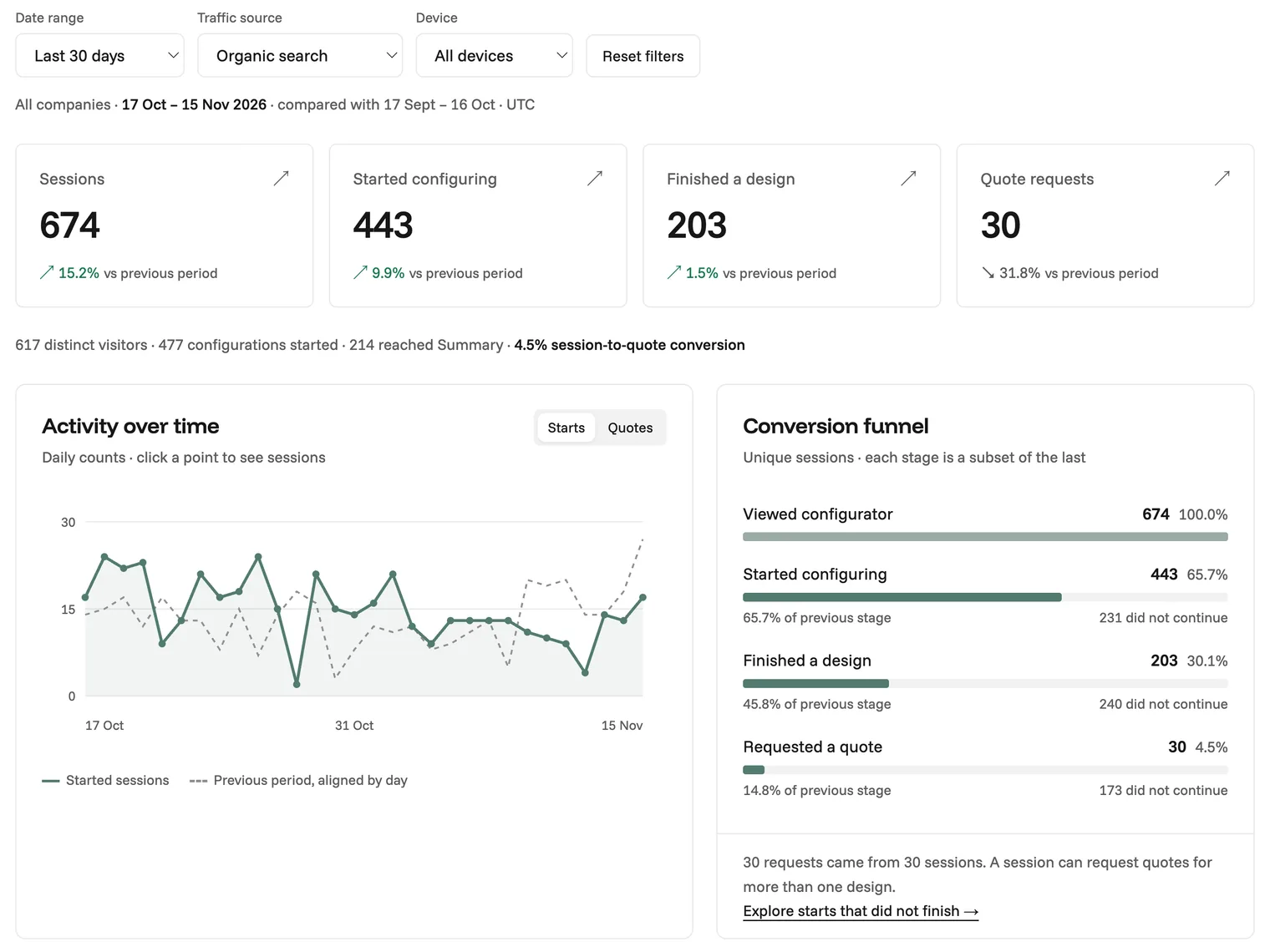
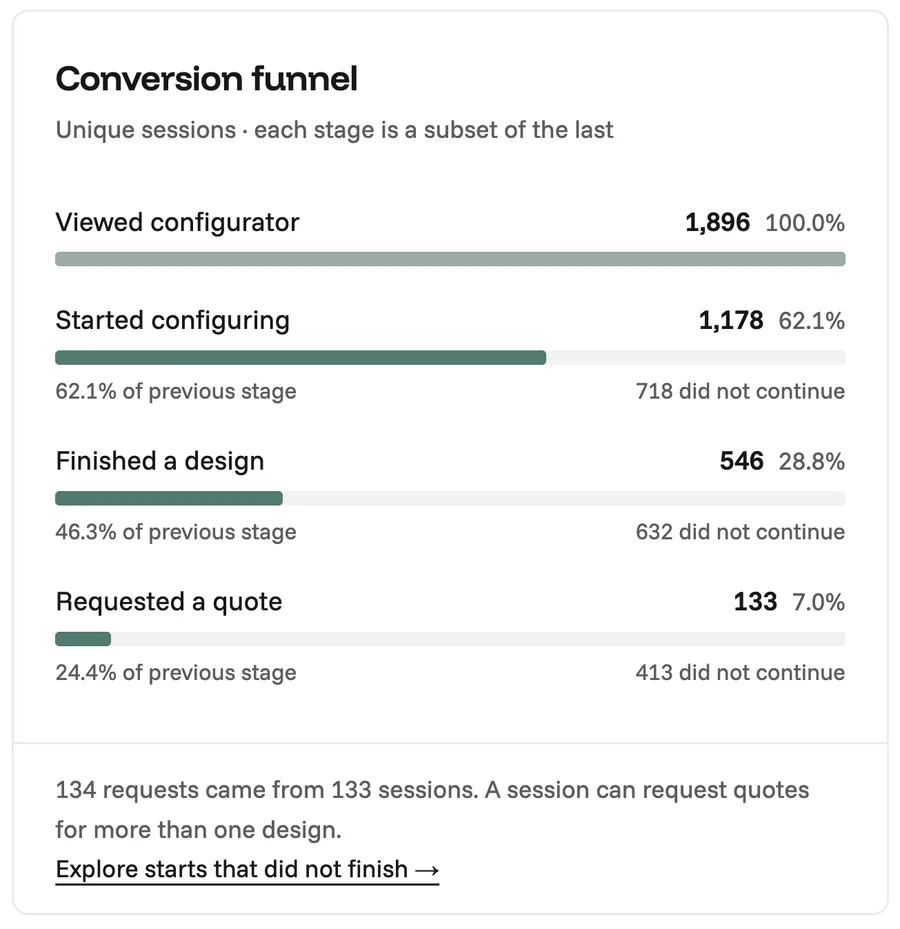
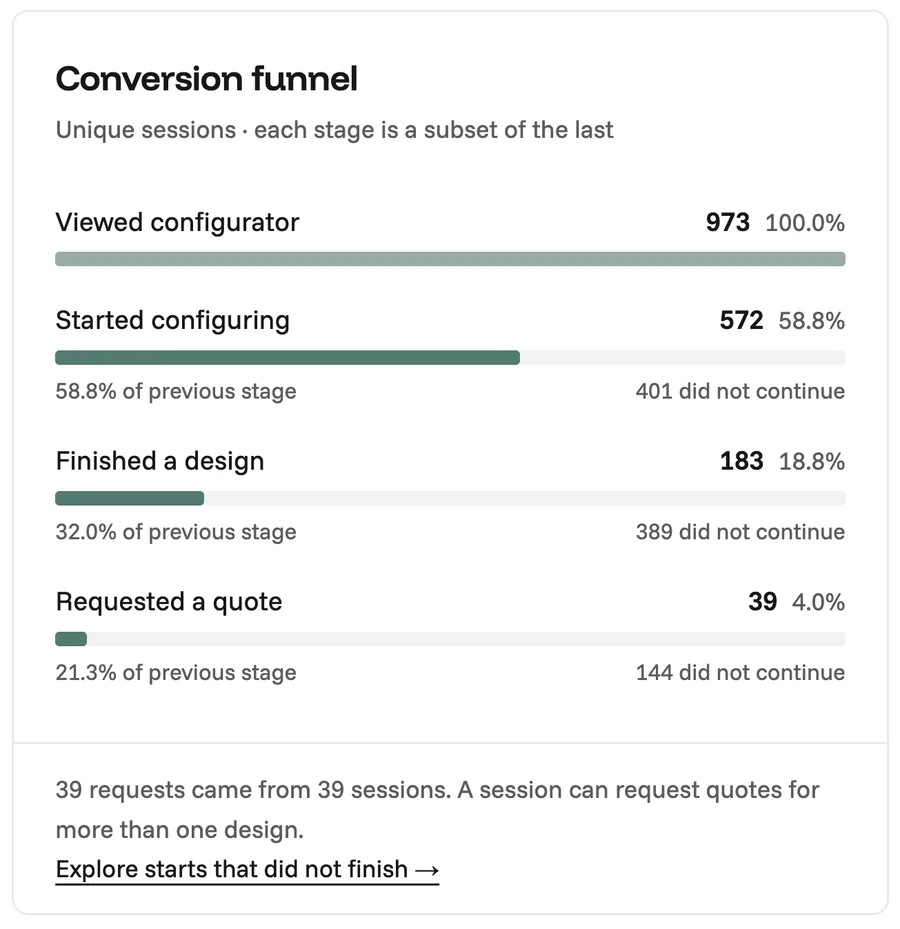
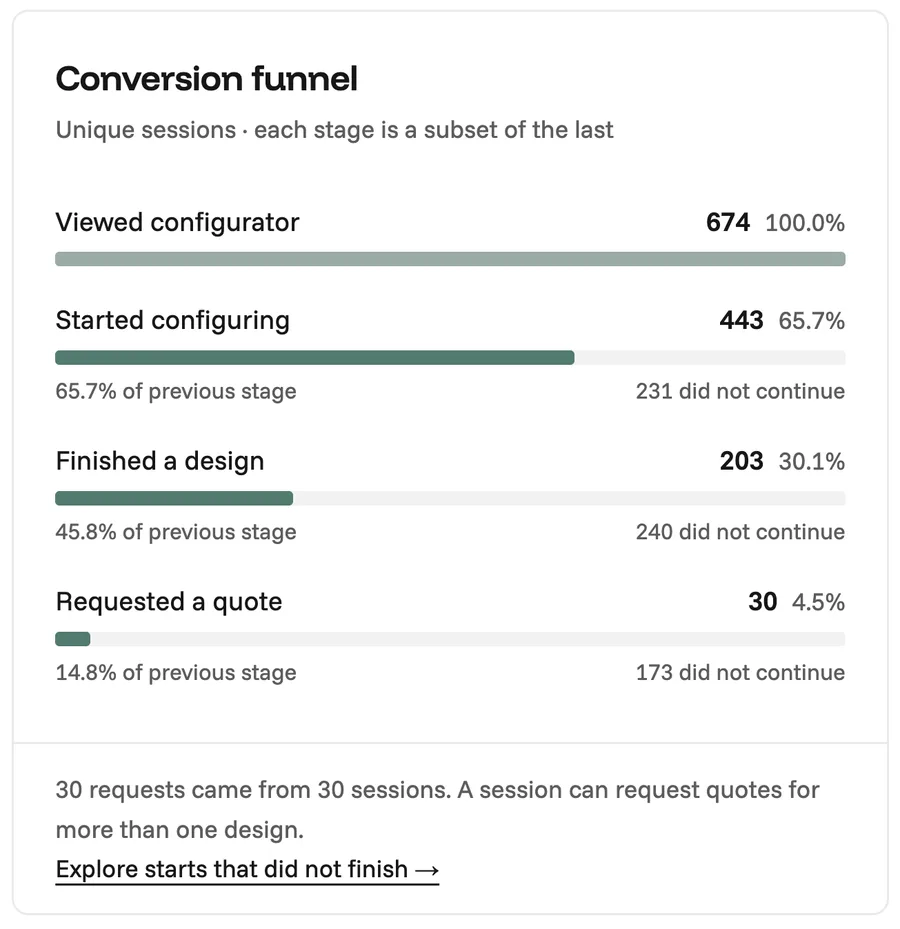
Filter by date, traffic source or device and the page recounts. These are three examples.
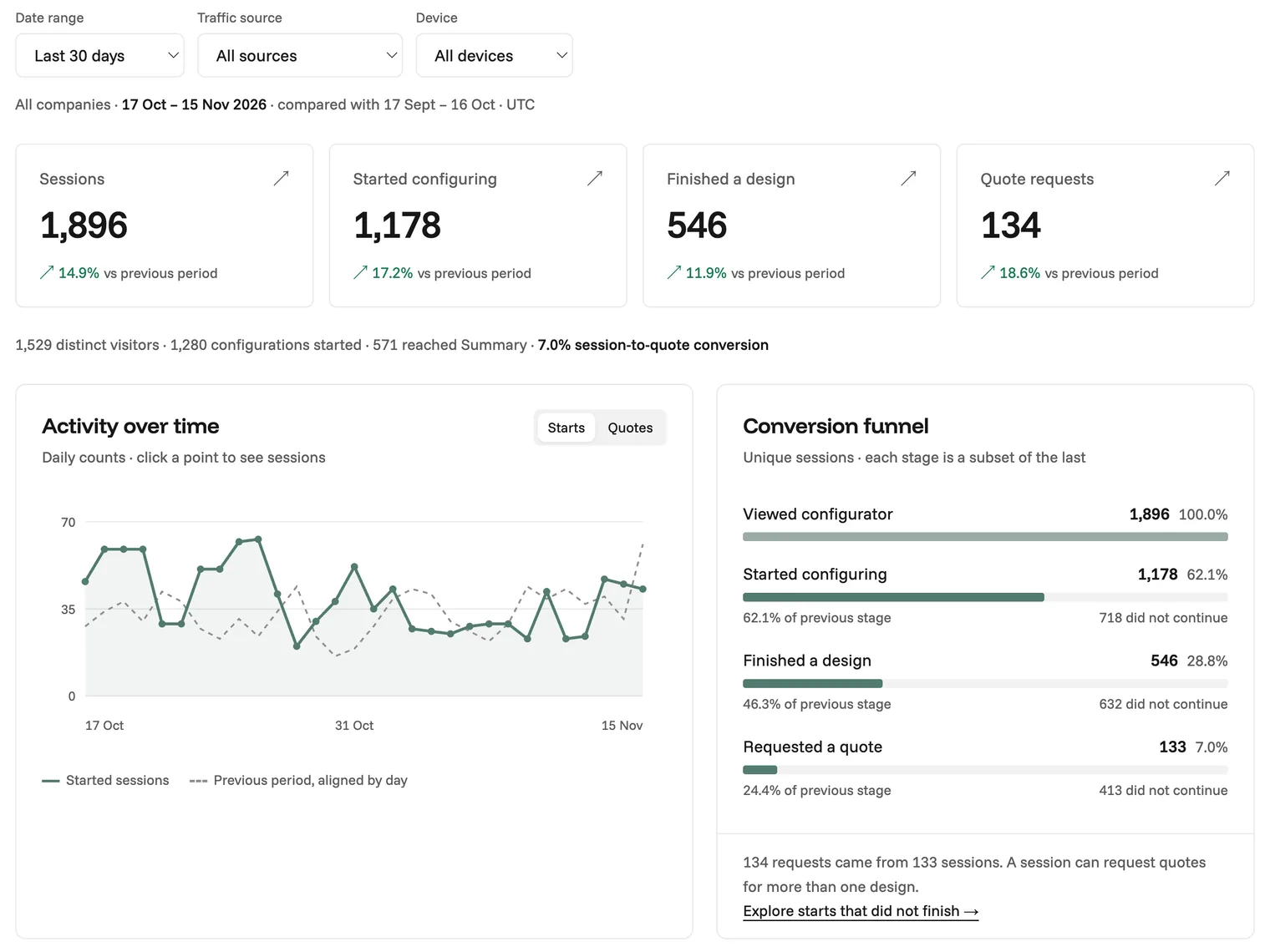
The Overview for all devices: the filters, four counts, the activity over time and the conversion funnel
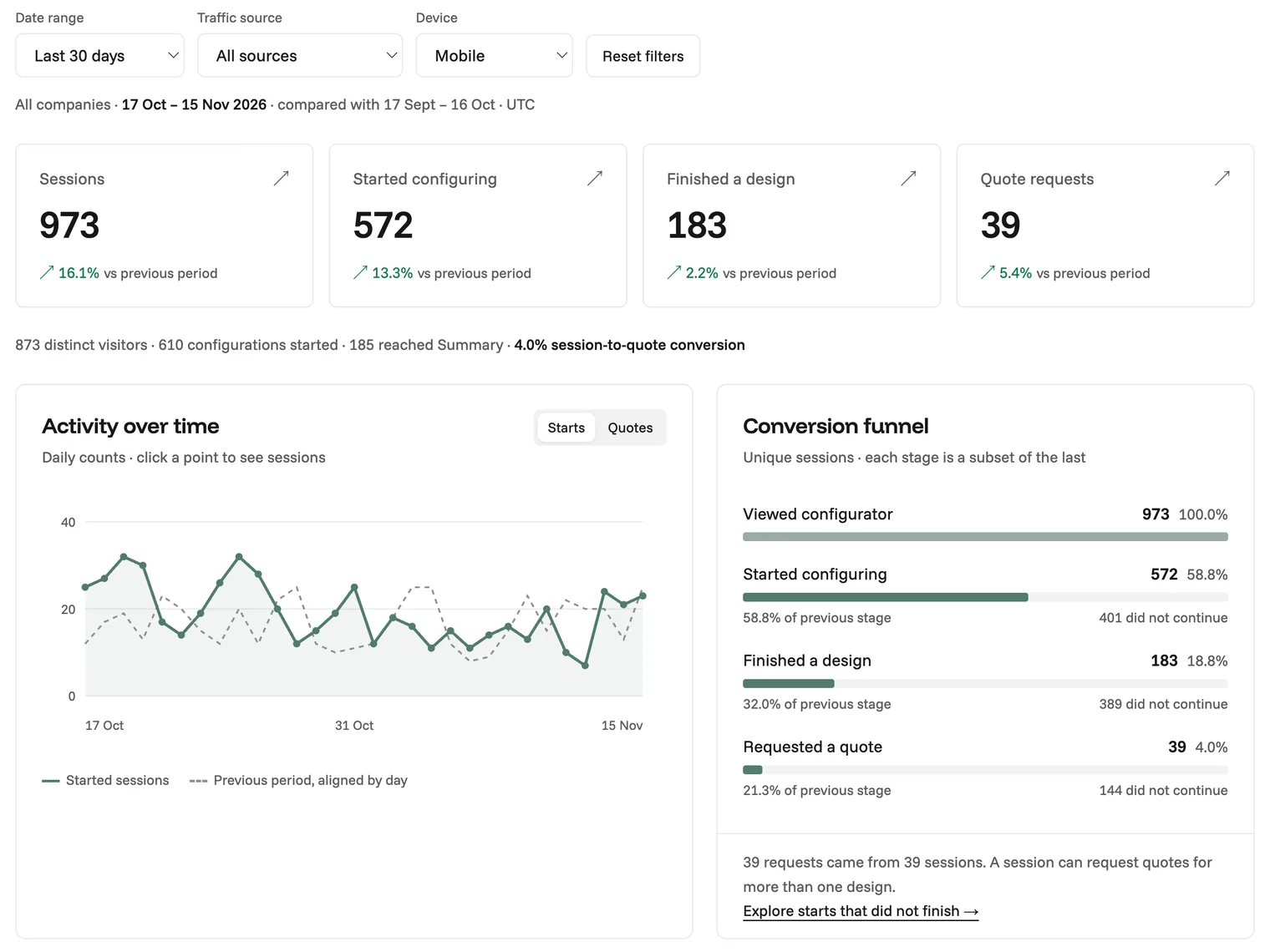
The same Overview with the device set to Mobile: every count, the chart and the funnel recounted
The same Overview with the traffic source set to Organic search: every count, the chart and the funnel recounted

Build your own charts

Choose what to group by and the chart redraws.

One enquiry, followed

A visitor’s session, the quotation it became, and the journey behind both.
Works with

All features
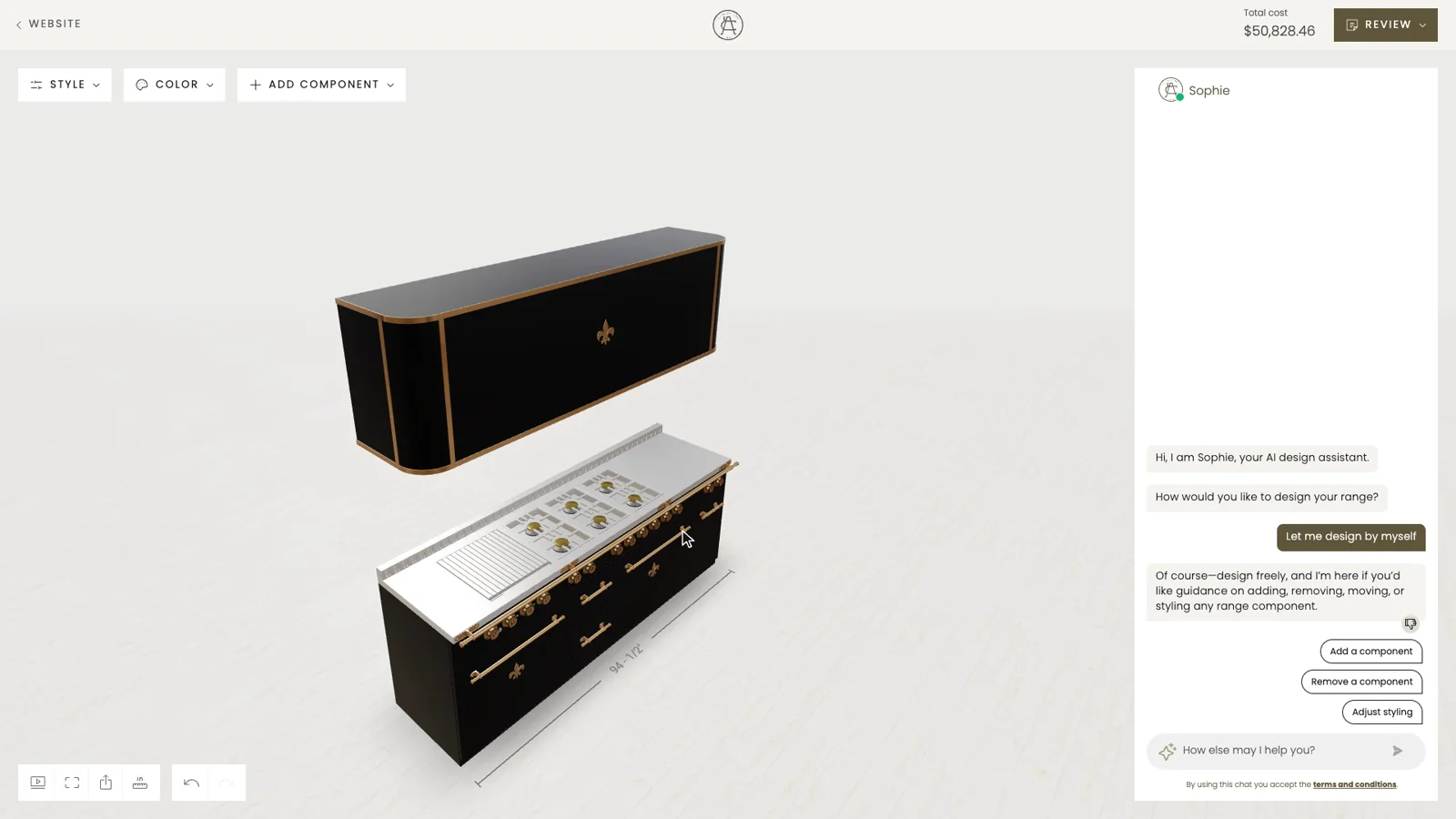
  • Visual CPQ

    Your customer changes the product and the price follows at once, line by line, from the prices and rules you set.
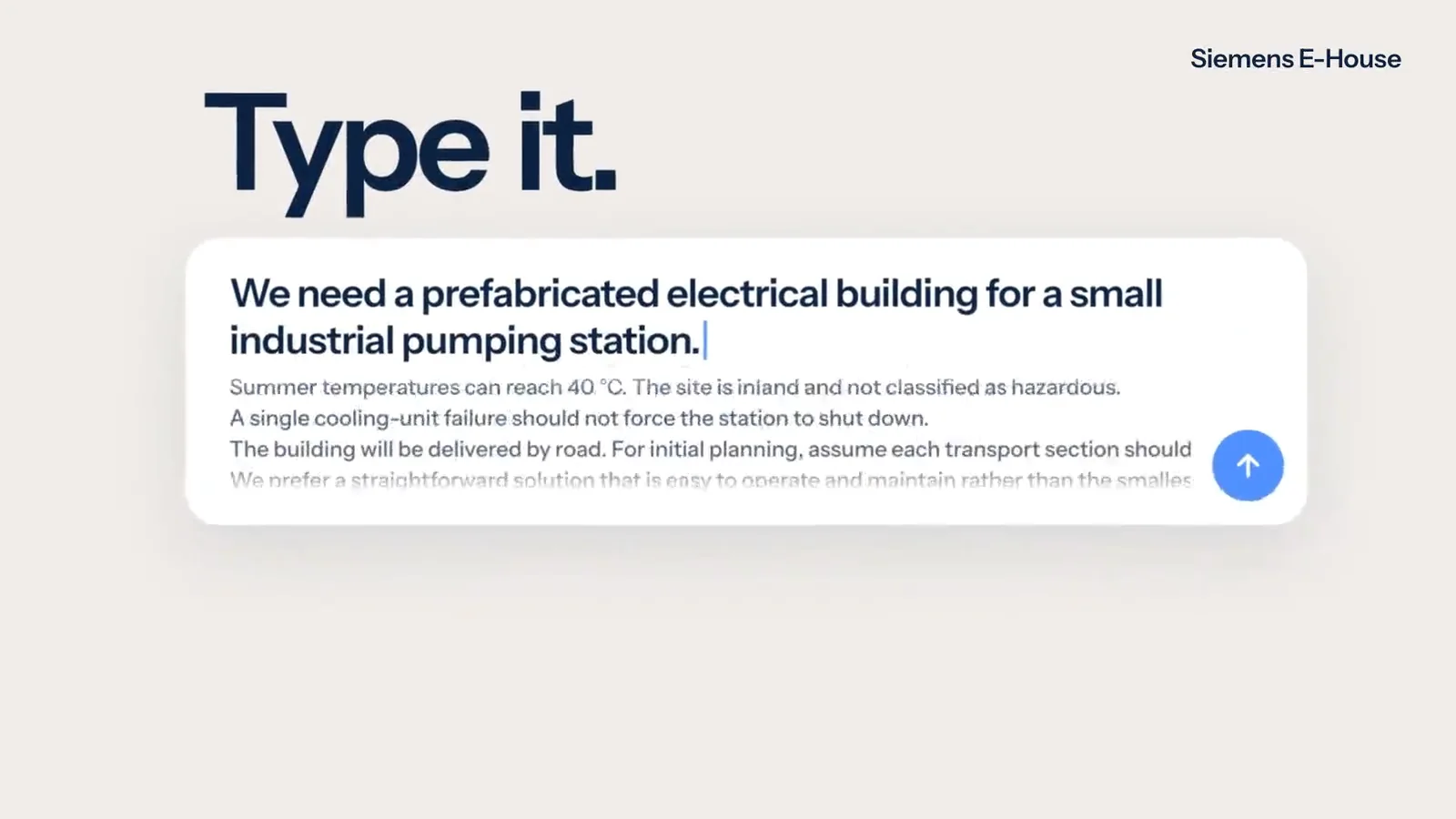
  • AI assistant

    Customers describe, sketch, photograph or draw what they want. The assistant changes the real 3D product and stays inside your product rules.
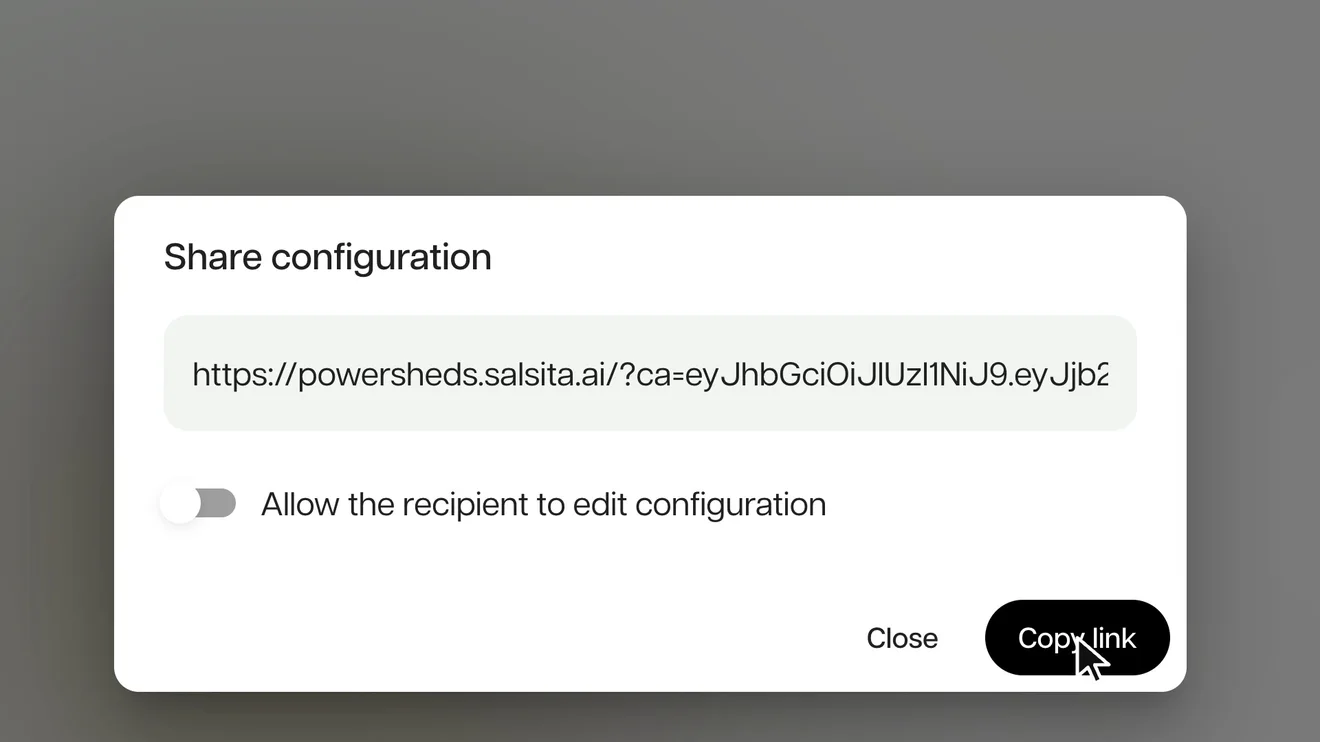
  • PDF, email and sharing

    On your product, a finished design leaves the configurator as a branded PDF, as an e-mail, and as a link that opens exactly that design.

Common questions

Not on the list? Ask it on a 30‑minute call.

What can I see?

How many visitors start a design, finish it and request a quote, with the drop at each step. You can filter by date, traffic source and device.

What can I see?

How many visitors start a design, finish it and request a quote, with the drop at each step. You can filter by date, traffic source and device.

Is it only clicks?

No. It reads the configuration itself, so you can see how the number of modules relates to how often a quote is requested, or which accessories are chosen most.

Can I see what one visitor did?

Yes. A session shows the design they built, where they came from, their device, the status of the linked quote and a timeline of their steps.

Can it feed Google Analytics or our own tools?

Events go to your own Google Tag Manager, so your marketing team can build funnels in GA4 or any tag tool. The page around the configurator also receives them as browser events. Salsita does not store them.

Does it tell me why people leave, or whether a change worked?

No. A session that ends marks inactivity, not a reason for leaving, and the comparisons make no causal claim, so they cannot tell you that a change worked.


Members of

  • Home Furnishings Association logo
  • American Home Furnishings Alliance logo
  • Kitchen Cabinet Manufacturers Association logo
  • Modular Building Institute logo

Want this on your configurator?

Tell us what you want to learn from your visitors. We set it up on your product and show it to you in a 30‑minute session.

You’ll talk to Anthony TemperanteVP Sales and Marketing, Salsita

This site is protected by reCAPTCHA and the Google Privacy Policy and Terms of Service apply.

  1. You send a link to your files
  2. We build the prototype configurator
  3. You try it on the call

Trusted by Siemens and Middleby, with 200+ configurators live.