3D configurator
Salsita 3D configurators run your business from product rules to production output.










Discover Salsita
The team that builds and runs your configurator.
Salsita 3D configurators run your business from product rules to production output.
The team that builds and runs your configurator.
Customers describe, sketch, photograph or draw what they want. The assistant changes the real 3D product and stays inside your product rules.

A customer describes a media wall in their own words. The assistant builds it, asks before it goes on and checks its work.
A request outside the product’s limits is refused with the reason, and the nearest change that is allowed is offered.
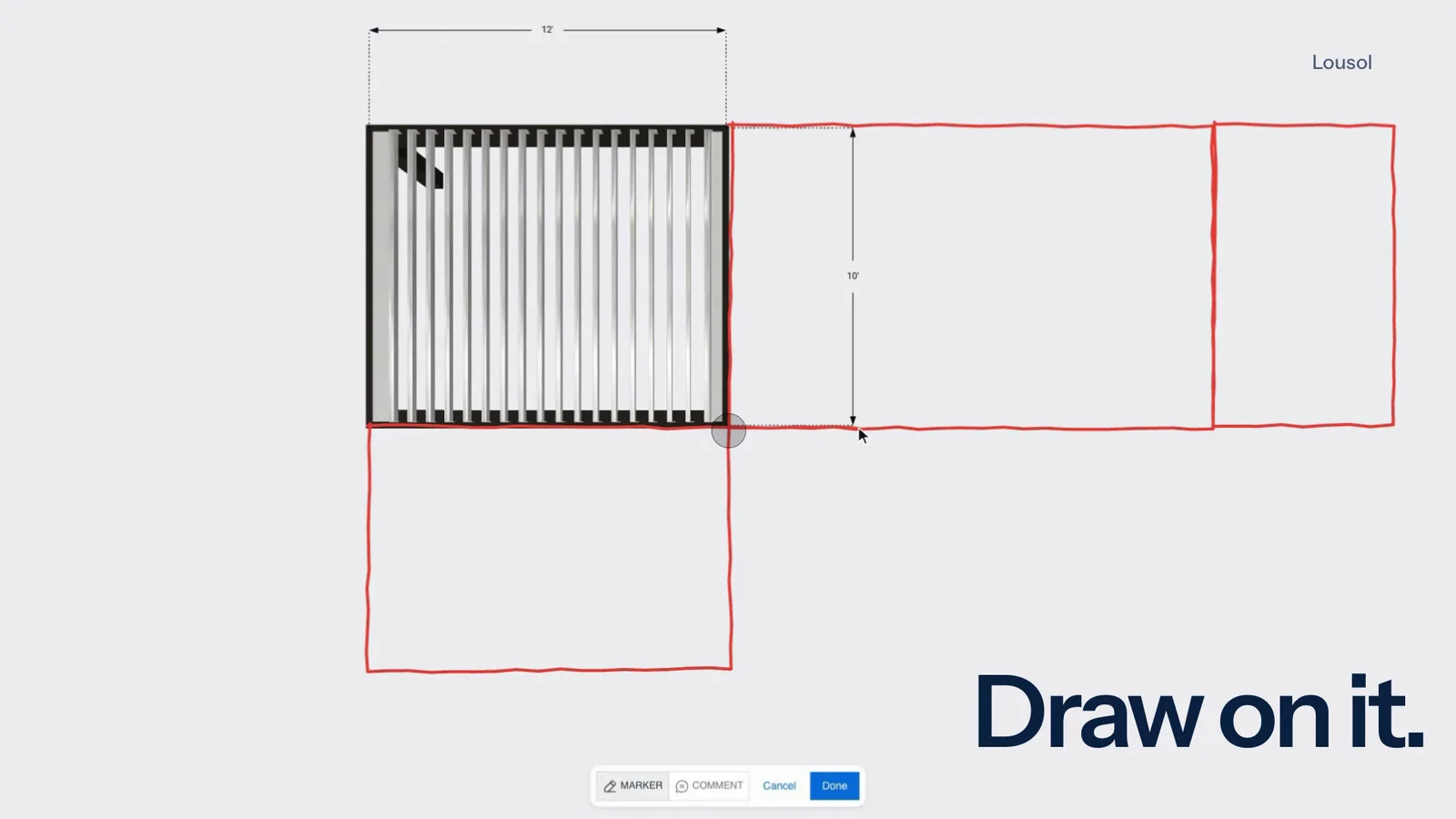
Customers mark the live 3D view with a marker and numbered notes. The assistant reads them and builds what they drew, asking when something is unclear.
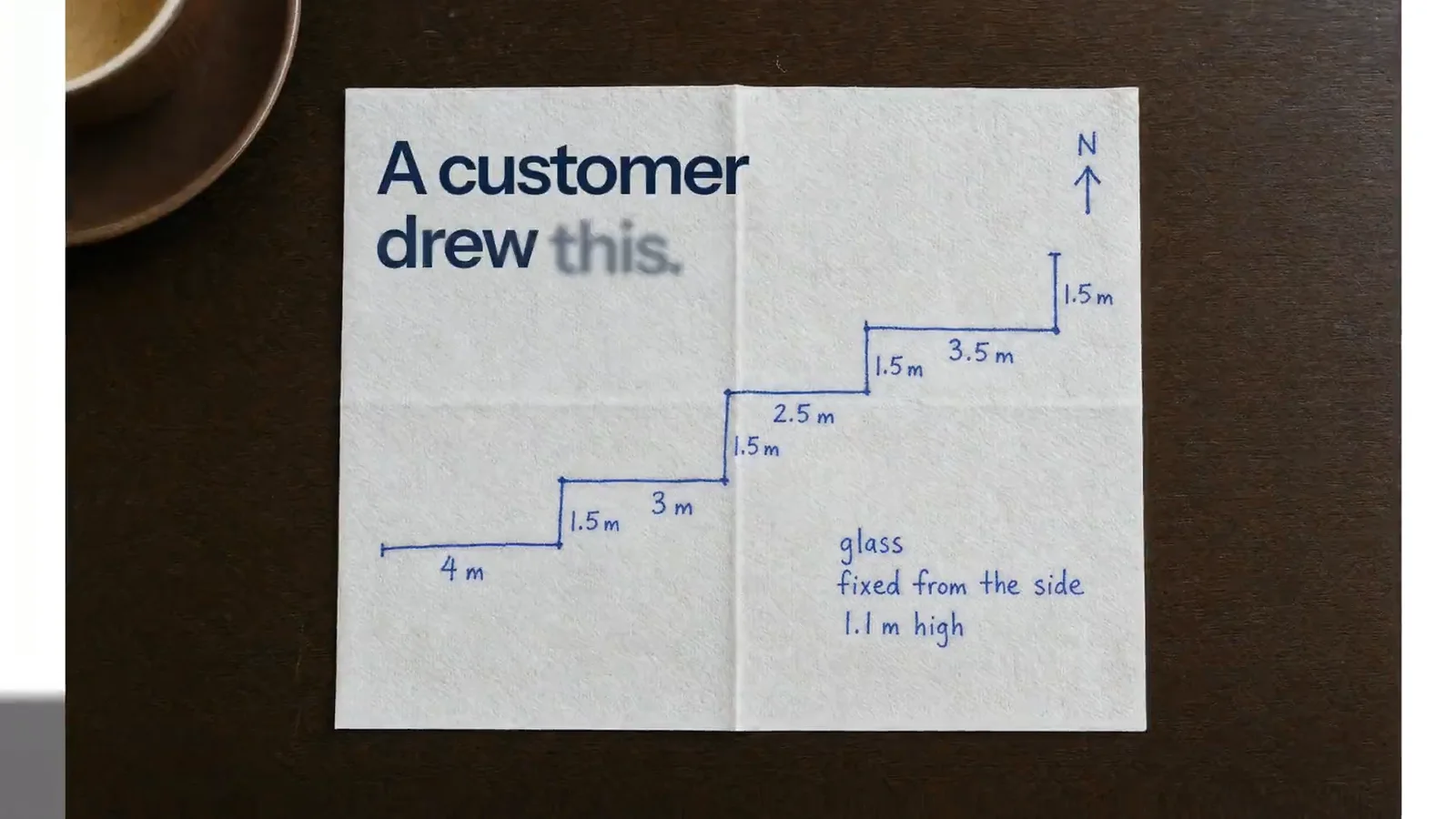
Customers send a hand sketch. The assistant reads the lengths and labels and builds it from the options you sell.

Customers send a photo of what they have in mind. The assistant builds the closest match from your options and tells them what differs.
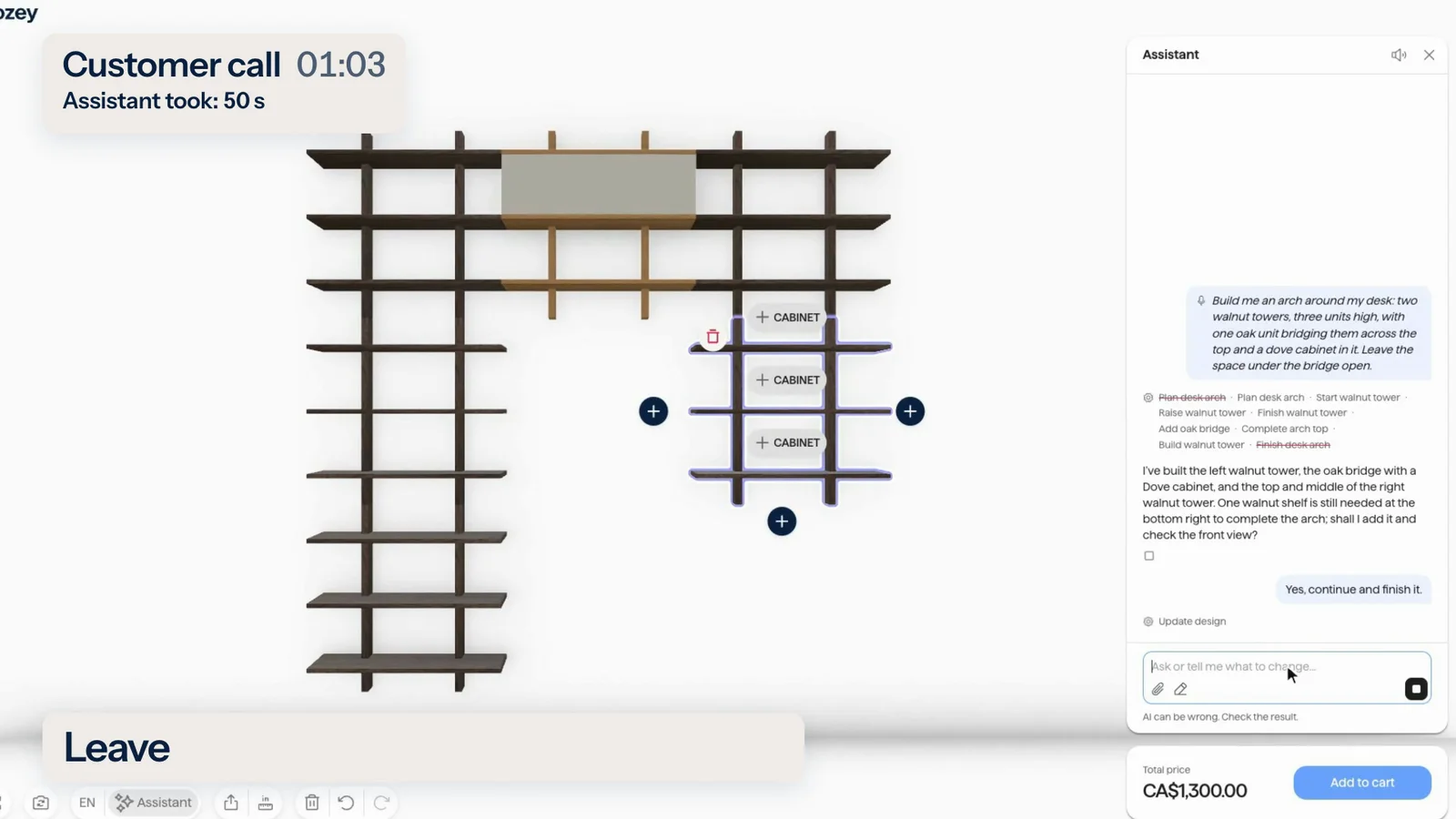
Customers talk to the configurator and it builds from their words. Voice is a project setting you switch on.
Real screen recordings with a voice-over. The waits are sped up and marked.
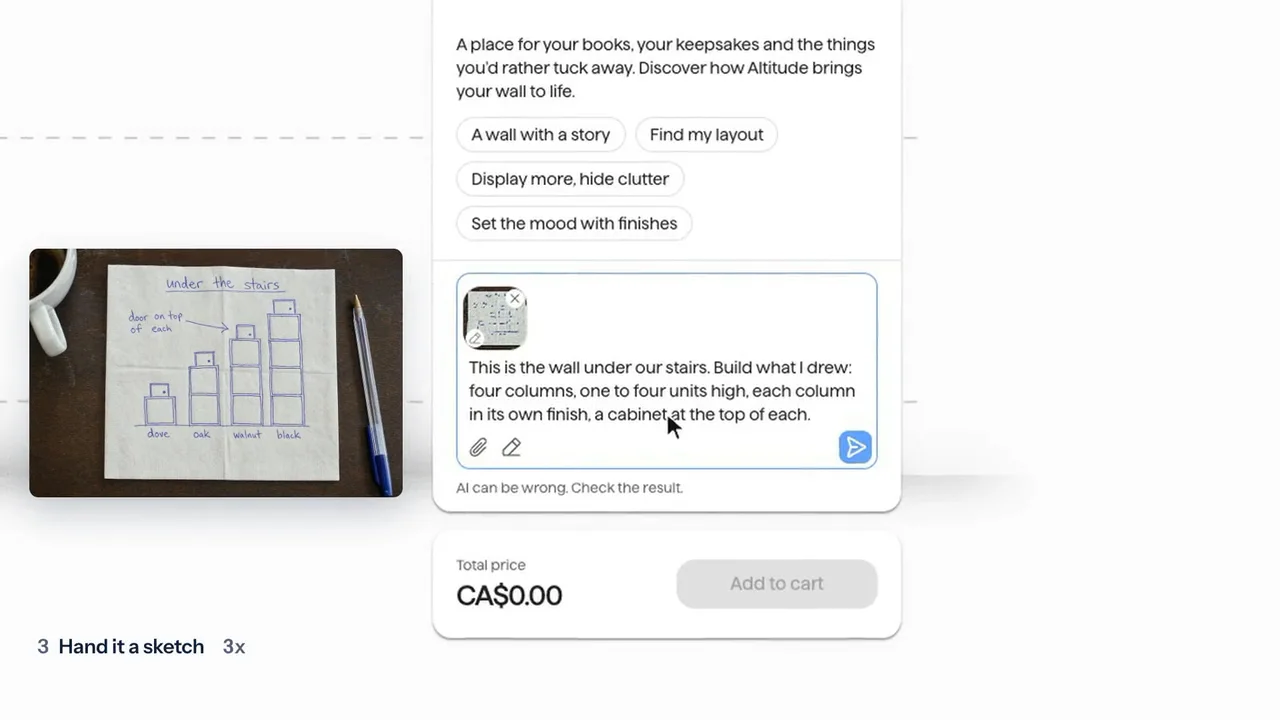
Five requests in turn: typed, a photo, a sketch, a drawing and a voice message.
1:32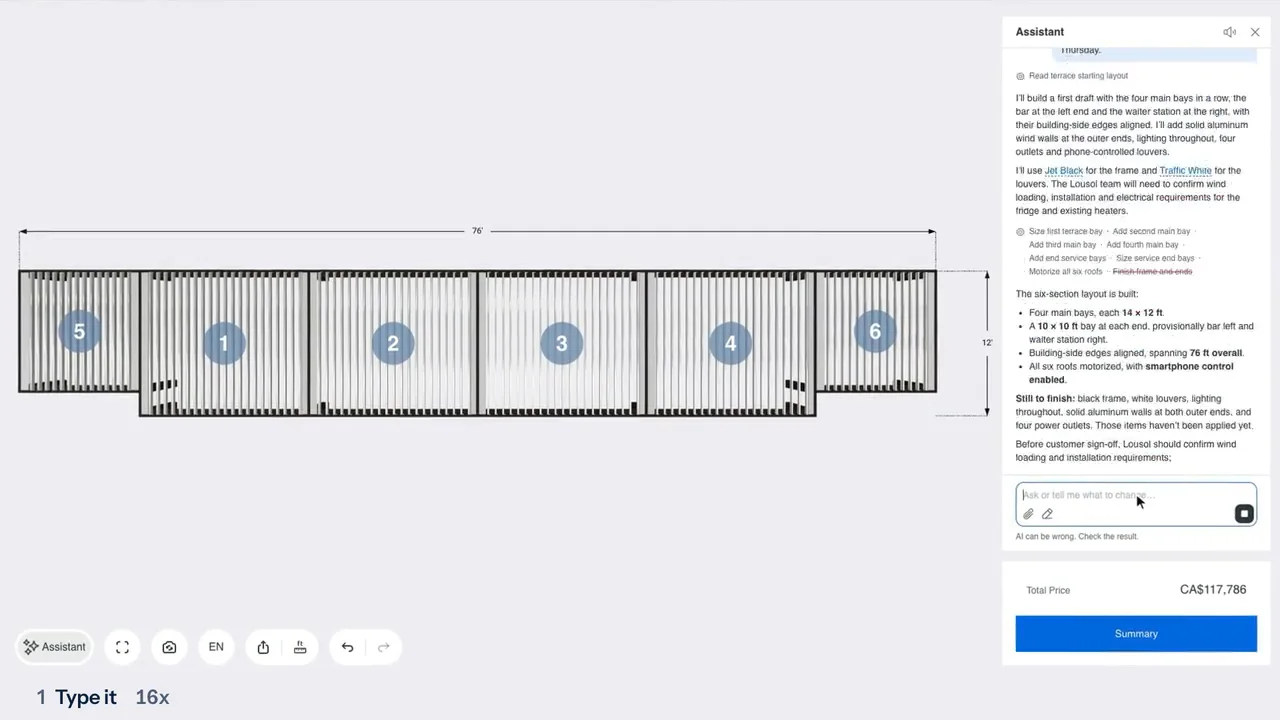
The same five ways in on a pergola, from a typed brief to a spoken one.
1:34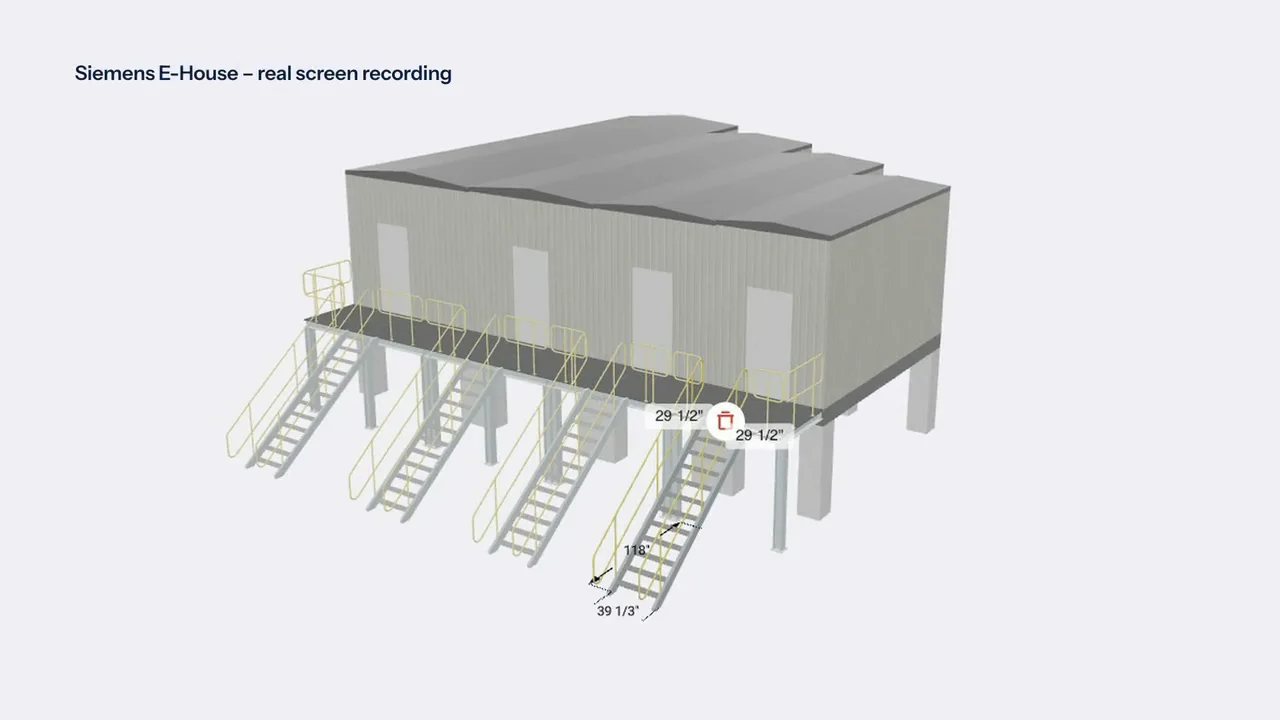
The same five ways in on a prefabricated electrical building.
1:50Where the assistant is on, an agent in a browser that offers WebMCP gets the same tools and the same checks. Codex in the ChatGPT desktop app does this today.
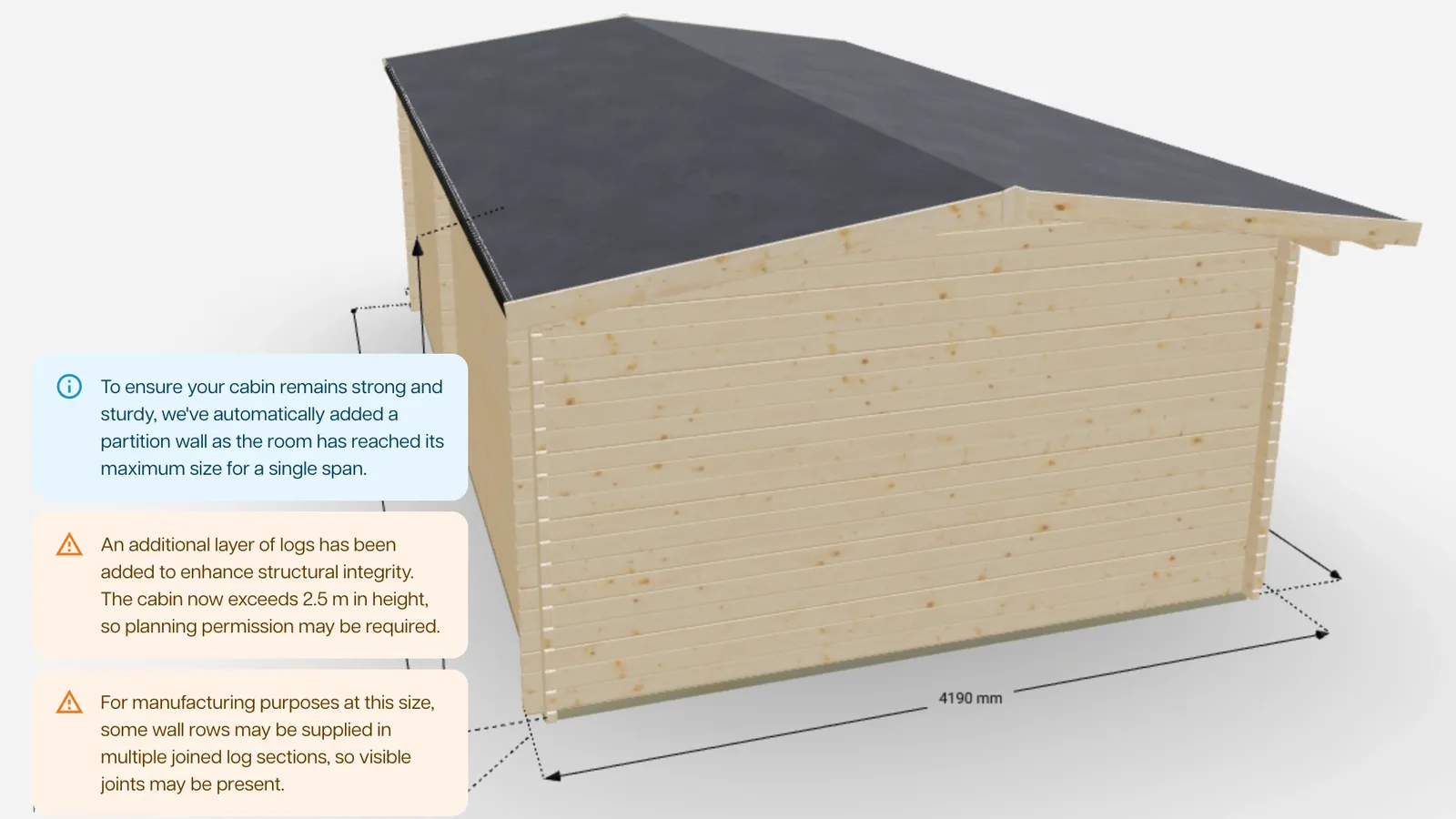
On your product, the rules your factory works by live in the configurator, and a customer is stopped, or told why, as they design.
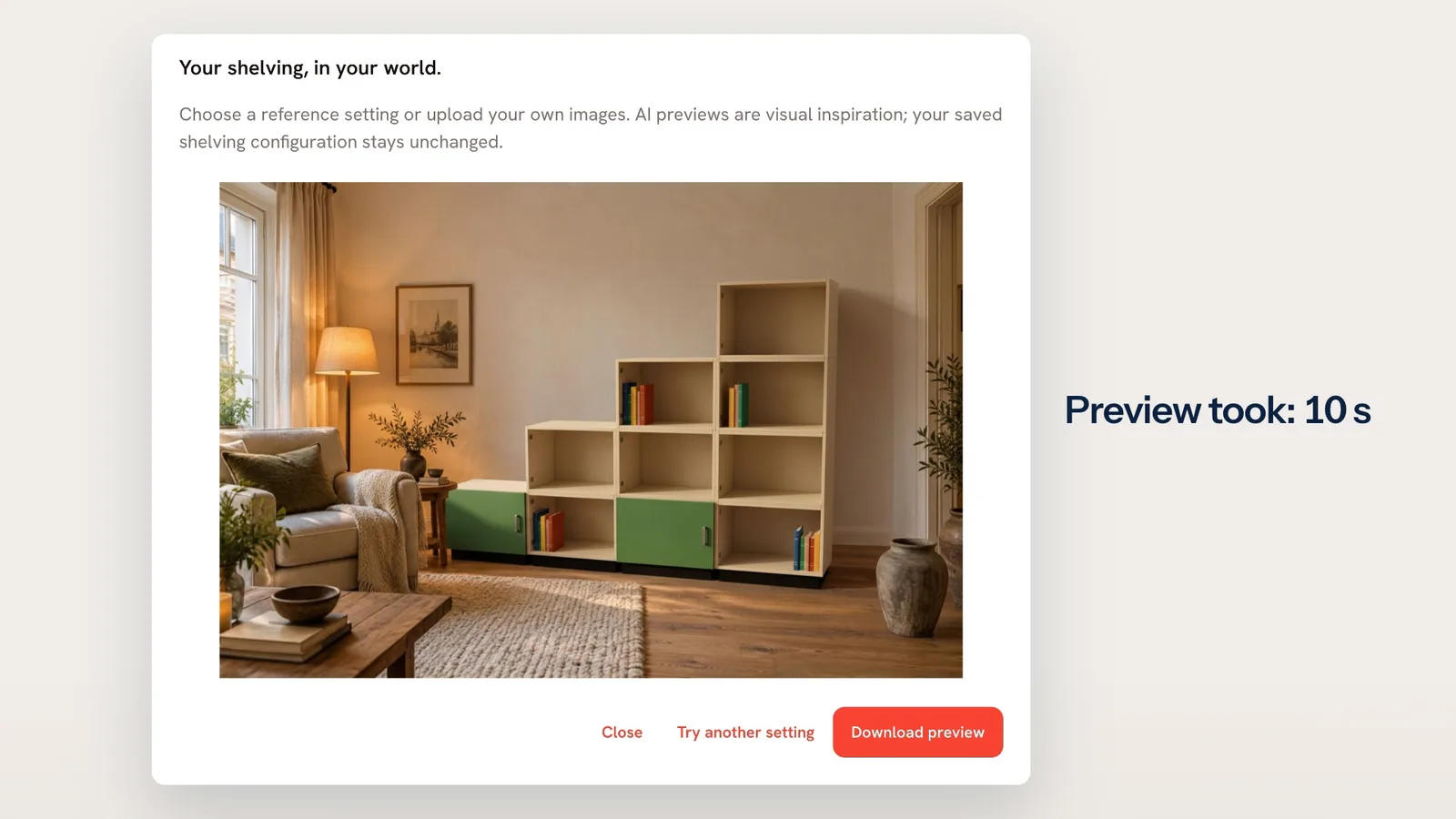
One click puts the configured product in a room, as an AI preview your customer can download.
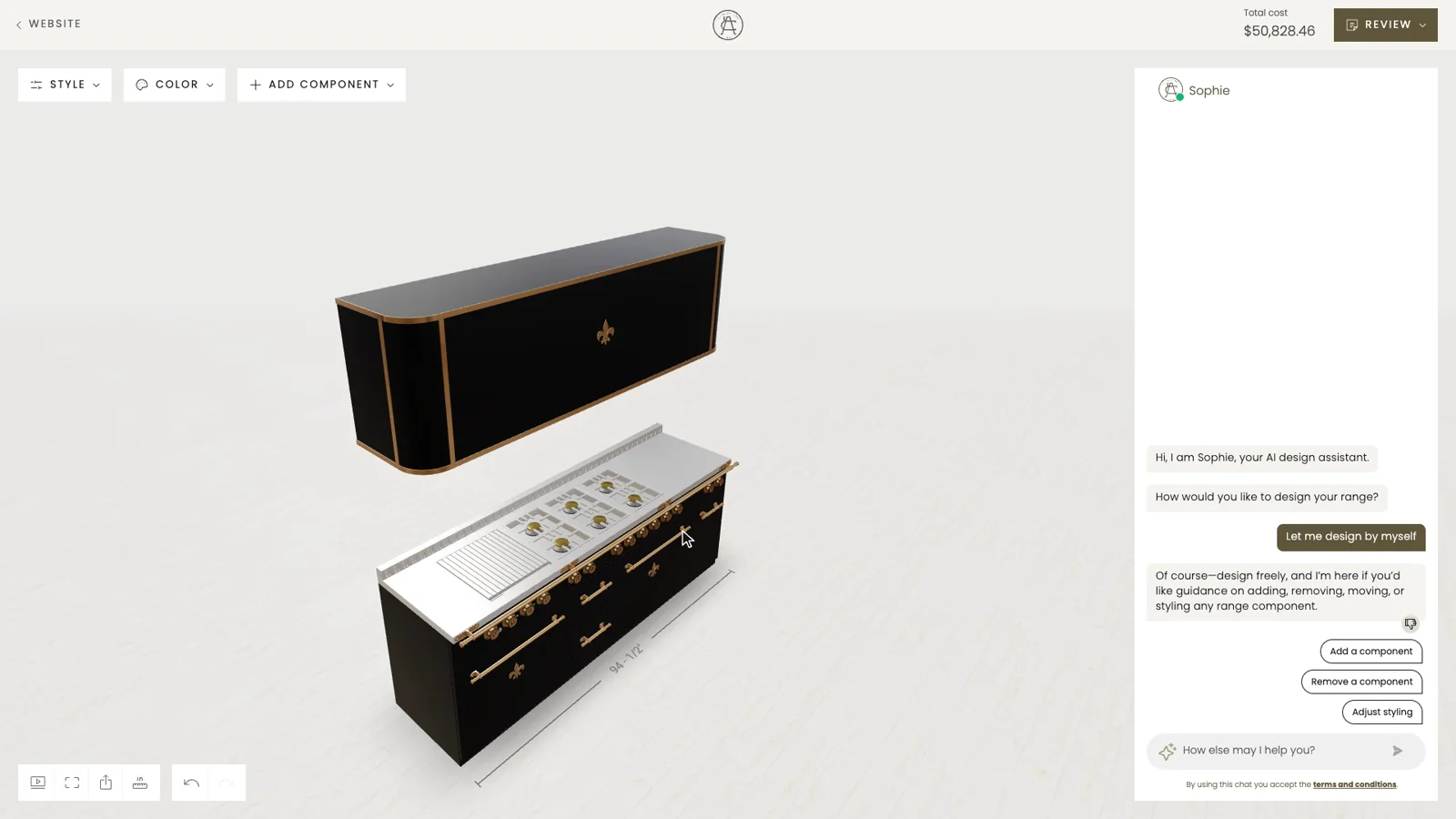
Your customer changes the product and the price follows at once, line by line, from the prices and rules you set.
Not on the list? Ask it on a 30‑minute call.
Will it sell something my product does not allow?
No. Every change goes through the same checks as a click on the controls. A change the rules forbid is refused with the reason, and a warning is shown as a notice. The assistant is only as strict as your project’s rules are complete.
Will it sell something my product does not allow?
No. Every change goes through the same checks as a click on the controls. A change the rules forbid is refused with the reason, and a warning is shown as a notice. The assistant is only as strict as your project’s rules are complete.
What if it makes a mess?
Each action has a plain title, it can try a change before it makes it, and the customer can undo what the assistant did from the chat. Undo stops at anything the customer changed by hand. Sometimes it finishes and says a finish is still missing, so the result is worth a look.
What does it know, and what can it touch?
Only what your project lists: the values it can read and change, the parts it may add or delete, the option lists and the views it can take a screenshot of. Nothing is exposed by default. It answers from the information it was given, so it knows no live stock or delivery dates. Start small and widen it.
Can we cap what it costs?
Yes. Limits per user, per network address and per project, and monthly caps per environment and per account. The size and effort of the AI model are set per project and per user group. A customer who reaches a limit sees how many minutes to wait.
Can people use it as a free chatbot?
No. It stays on your product. It warns once, and it shuts out clear misuse.
Can I use my own Claude or Codex to do the same?
Yes, with an agent in a browser that offers WebMCP. Where the assistant is on, your agent gets the same tools and the same checks as the assistant. Codex in the ChatGPT desktop app does this today; another agent, Claude included, does once its browser offers WebMCP.




Tell us what you sell. We set it up on your product and show it to you in a 30‑minute session.

You’ll talk to Anthony TemperanteVP Sales and Marketing, Salsita
Trusted by Siemens and Middleby, with 200+ configurators live.