Skip to content
Book a demo
3D configurator

Salsita 3D configurators run your business from product rules to production output.

Explore

3D configuratorLive demosFeatures

Compare Salsita with

ZakekeThreekitExpiviTactonCylindoVibe-coding
Home and office furnitureCabinets and kitchensOutdoor livingConstruction products
See live demos by industry

Retail and consumer

E-commerce and retailJewelry and luxury
40% lower operational costsKilo2–4x faster sales cycleL’Atelier Paris90% less manual workEasysteel
See all success stories

Every story

KiloL’Atelier ParisModulineAzencoAlulivingEasysteelCentroSunlife
Dealer network playbookSales configurator guideB2B sales playbookCabinets playbook
See all insights and assets

Learn

BlogGlossary
Discover Salsita

The team that builds and runs your configurator.

Company

About usCareers

Work with us

Contact
3D configurator

Explore

Live demosFeatures

Compare Salsita with

ZakekeThreekitExpiviTactonCylindoVibe-coding
See live demos by industry

Manufacturing

Home and office furnitureCabinets and kitchensOutdoor livingConstruction products

Retail and consumer

E-commerce and retailJewelry and luxury
All success stories

Furniture and kitchens

KiloL’Atelier ParisModuline

Outdoor and construction

AzencoAlulivingEasysteel

Consumer products

CentroSunlife
Insights and assets

Learn

BlogGlossary

Guides

Dealer network playbookSales configurator guideB2B sales playbookCabinets playbook
Discover Salsita

Company

Careers

Work with us

Contact
Book a demo

Štefánikova 18/25
150 00 Prague 5, Czechia

3D configurators for complex products. Offices in Prague, Ostrava and Arlington, MA.

Book a demo

Platform

3D configuratorLive demosFeaturesSuccess stories

Industries

FurnitureCabinets and kitchensOutdoor livingConstructionE-commerce and retailJewelry and luxury

Compare

vs Zakekevs Threekitvs Expivivs Tactonvs Cylindovs Vibe-coding

Resources

BlogGlossaryInsights and assets

Company

About usCareersContact
© 2026 SalsitaPrivacy policyCookie policyWhistleblowing
All features

Draw on the product, from red strokes to a built layout

Customers mark the live 3D view with a marker and numbered notes. The assistant reads them and builds what they drew, asking when something is unclear.

Book a demoWatch the film

From a few strokes to a built layout

Four rectangles, an arrow and two notes over the plan of a pergola. The assistant reads them, asks what it could not know and builds.

DrawnFour rectangles beside the pergola, then an arrow across the largest one
NotedThe first pin takes the note “this one 16 ft wide”
ReadFive sections read from the drawing, and a question about the wall
BuiltThe fifth section arrives and the layout takes the shape of the drawing
TurnedThe finished layout, five sections, turned in 3D

Works with

All features
  • AI assistant

    Customers describe, sketch, photograph or draw what they want. The assistant changes the real 3D product and stays inside your product rules.
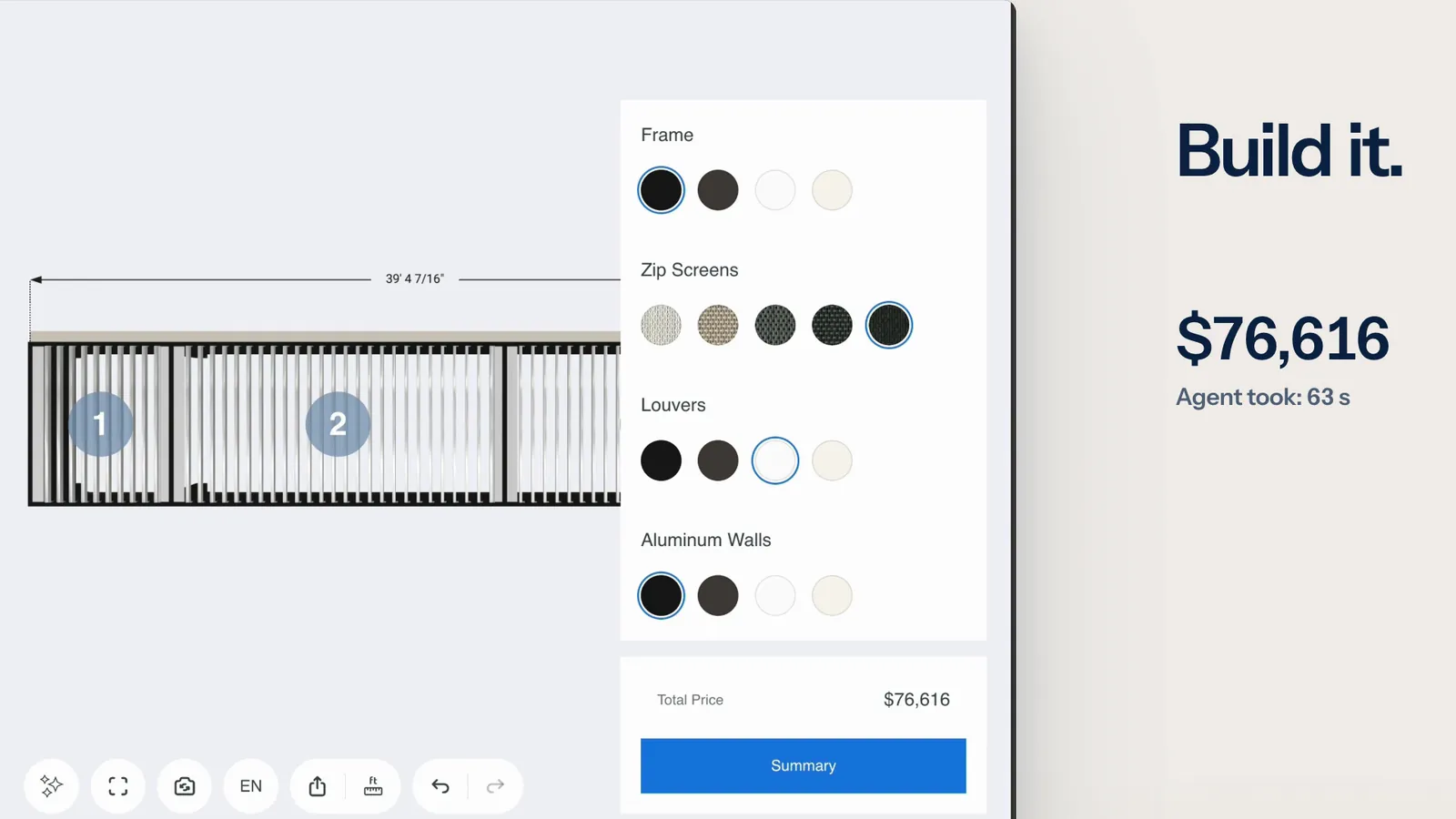
  • AI agents

    An AI agent reads a request and configures your product through the tools the configurator offers. Every change passes the same checks as a click.
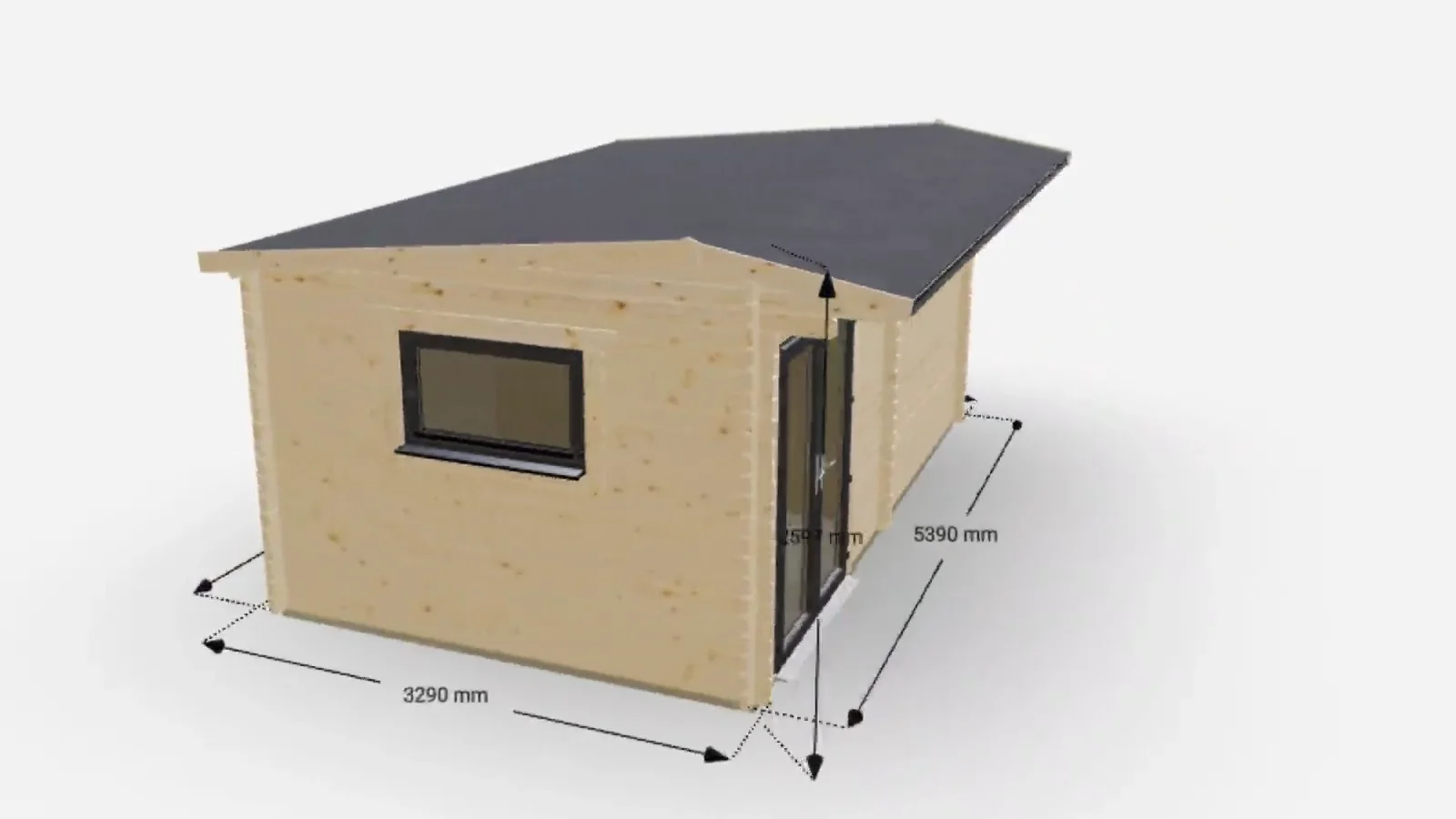
  • 3D model interactions

    Your customer works on a complex product directly in 3D: turns it, adds parts, drags them into place, opens it and reshapes it.

Common questions

Not on the list? Ask it on a 30‑minute call.

What can a customer mark?

A red marker and numbered comment pins, on the live 3D view or on any picture in the chat, including the assistant’s own drawings. Up to four attachments go with one message, a marked-up view included. A layout without a 3D view has nothing to mark up.

What can a customer mark?

A red marker and numbered comment pins, on the live 3D view or on any picture in the chat, including the assistant’s own drawings. Up to four attachments go with one message, a marked-up view included. A layout without a 3D view has nothing to mark up.

Does it build what was drawn?

It builds what it read from the strokes and the notes. It says which sizes it estimated and asks when something is unclear, such as whether a wall is an existing one. It can misread a drawing, so the result is worth a look.

Can the customer change it afterwards?

Yes. The result is the product itself: the customer can change any section by hand, undo the assistant’s changes, or mark the view again and send a new drawing.


Members of

  • Home Furnishings Association logo
  • American Home Furnishings Alliance logo
  • Kitchen Cabinet Manufacturers Association logo
  • Modular Building Institute logo

Want this on your configurator?

Tell us what you sell. We set it up on your product and show it to you in a 30‑minute session.

You’ll talk to Anthony TemperanteVP Sales and Marketing, Salsita

This site is protected by reCAPTCHA and the Google Privacy Policy and Terms of Service apply.

  1. You send a link to your files
  2. We build the prototype configurator
  3. You try it on the call

Trusted by Siemens and Middleby, with 200+ configurators live.