3D configurator
Salsita 3D configurators run your business from product rules to production output.








Discover Salsita
The team that builds and runs your configurator.
Salsita 3D configurators run your business from product rules to production output.
The team that builds and runs your configurator.
Who signs in, where it runs, what data it holds and how a release goes live and is rolled back – the answers your IT and procurement teams ask for before they sign.
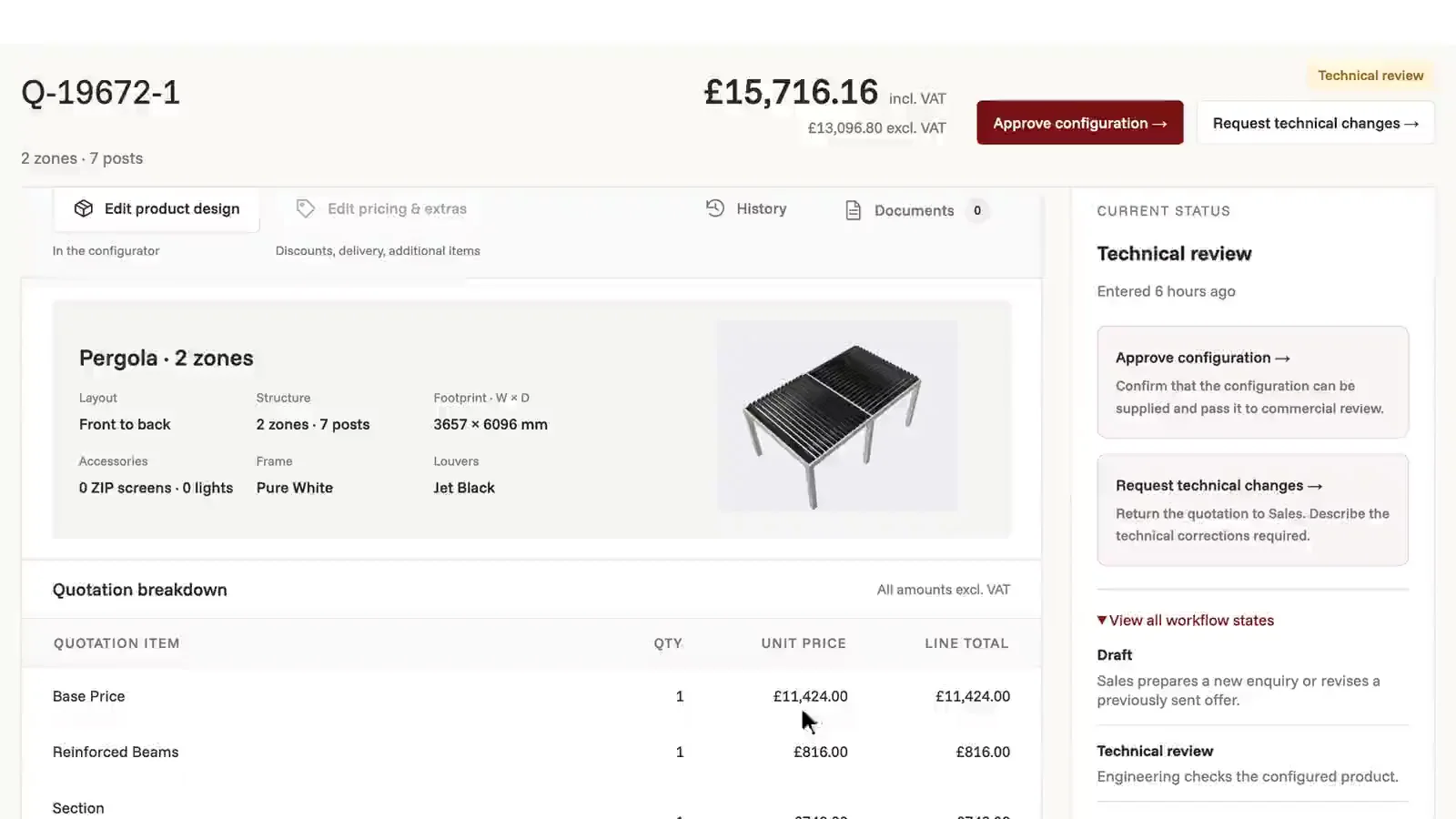
Studio builds each version. Production changes only when you put a build live or roll back.
The answers your IT and security team will ask for, before the first call.
Read the data processing termsThe fast build suits most products. Your own admin, links to your systems and logins for several teams need the enterprise build.
Do you need your own admin to change products and prices?
Should it connect to an ERP, CRM or PLM, or to a store other than Shopify or WooCommerce?
Do several teams or dealers need their own logins?
Answer the questions and your fit shows here.
3 to go
You need more than the fast build covers. We build it with you and run it with you. Live in 1–2 months.
Your product, done for you on your Shopify or WooCommerce store. You see a prototype the next day and go live in 2–3 weeks. You send your catalogue or specification; 3D models are optional. Three meetings: requirements, design, handover.
See the fast buildNot on the list? Ask it on a 30‑minute call.
Who can sign in, and how?
Customers need no account: each visit gets a short-lived signed session that works only on the sites you list. For your people and dealers the sign-in is agreed when we scope your product – invited accounts, email and password, Google, passkeys or your website’s own login – and their role and tags decide the data and actions they get.
Who can sign in, and how?
Customers need no account: each visit gets a short-lived signed session that works only on the sites you list. For your people and dealers the sign-in is agreed when we scope your product – invited accounts, email and password, Google, passkeys or your website’s own login – and their role and tags decide the data and actions they get.
Do you support single sign-on?
That is agreed when we scope it. Sign-in is set up per product, and we go through the identity provider and the protocol with your IT team. We name no provider here until we have done that.
Who can work in Studio?
In the Studio shown above, people are invited by email and given a role – User, Admin or Superadmin – for a workspace or one project. A workspace superadmin can suspend or remove them. Sign-in uses a password, an authenticator app or a passkey.
Where does it run?
On AWS, in the United States or, where we agree it with you, in Germany. Staging runs in Germany, apart from production. The configurator loads only on the sites you list, and production can answer at a subdomain of your own.
What data does it hold, and for how long?
Saved configurations, the quote requests and contact details your product collects, your uploads, and technical data from visitors’ browsers, such as IP addresses. Logs are kept for 15 days. The rest is kept while your agreement runs and deleted within 90 days after it ends; you can export it before then. Our data processing addendum lists every sub-processor.
How is it kept up and backed up?
Agreed when we scope it: backup frequency, how long backups are kept, recovery times and support response times. We publish none of them. In place today: automated database backups, central logging and alerts on production, and the availability guarantee in the IT review on this page.
How does a release go live, and can it be rolled back?
A build goes live on a separate test address first. You check it there, then promote it to production in Studio; production keeps serving the current build until the new one is live. To go back, roll back to one of the ten newest production builds: it is live again in about a minute, without a new build. Designs saved on a newer product model stay stored but do not open until that model runs again.
How fast is it?
Agreed when we scope it. We publish no load-time figure, because it depends on your product and your 3D models. On a page with a strict content security policy, the configurator needs two project settings, and one of them, the JavaScript model decoder, is slower.




Your security questionnaire, your sign-in requirements, your region. We answer from what is in place and agree the rest with you when we scope your product.

You’ll talk to Anthony TemperanteVP Sales and Marketing, Salsita
Trusted by Siemens and Middleby, with 200+ configurators live.