7 Best 3D Configurators for Manufacturing in 2026
We compared 3D configurators for manufacturing based on what actually matters: parametric modeling, multi-user access, ERP connectivity, CPQ, and manufacturing-ready outputs.
 Camille Felappi
Choosing the right manufacturing product configurator means asking one question: can this configurator handle the way my products are actually engineered, quoted, sold, and produced?
Manufacturing products are structurally complex, often made to measure, and sold through multiple channels. That is why to bring real ROI, a manufacturing product configurator needs to do the heavy lifting: parametric modeling, real-time pricing, role-based access for buyers, dealers, and sales, and production-ready outputs like CAD files and BOMs. A configurator that only solves the visual side of that problem is not enough.
In this guide, we compare the best 3D configurators for manufacturing in 2026 based on what they actually deliver for engineering, sales, and production teams.
Why Manufacturing Needs More Than a Simple Customizer
Manufacturing products come with custom dimensions, structural constraints, and engineering rules that change with every order. A railing needs precise angles and variable post spacing. An industrial enclosure can have hundreds of valid component combinations. A modular shelving unit changes its entire bill of materials when a single dimension shifts. These are not "pick a color and check out" products.
That complexity is why 1 in 4 manufacturers name quoting and manual processes as their biggest pain point. Without the right tool, every order means someone manually calculates pricing, checks feasibility, and re-enters data into production systems.
A simple customizer cannot fix that. A manufacturing product configurator needs to:
- Handle real engineering logic. Parametric models that enforce structural rules and update geometry as dimensions change.
- Serve multiple user types. Buyers, dealers, and internal sales, each with different permissions, pricing, and workflows.
- Connect to your existing systems. ERPs, PIMs, CRMs, ecommerce. No disconnected tools, no manual handoffs.
- Generate production-ready output. CAD files, BOMs, CNC data, cut lists. The data your factory floor needs to build it.
Best 3D Configurators for Manufacturing in 2026: Quick Comparison Table
| Platform | Best For | Parametric Modeling | 3D Visualization | Manufacturing CPQ | System Integrations | Manufacturing Outputs | Main Limitation |
|---|---|---|---|---|---|---|---|
| Salsita | Complex, made-to-order manufacturing with multi-channel sales | Very strong | Very strong | Very strong | Very strong | Very strong | Requires structured product logic before deployment |
| Tacton | Large-scale industrial manufacturers with enterprise CPQ | Very strong | Strong | Very strong | Very strong | Very strong | High cost, steep learning curve, long implementation |
| Threekit | Enterprise visual commerce with manufacturing capabilities | Strong | Very strong | Strong | Strong | Strong | High cost, longer setup |
| DriveWorks | Solidworks-based manufacturers needing design automation | Very strong | Moderate | Strong | Moderate | Very strong | Tied to Solidworks ecosystem |
| Epicor CPQ | Mid-market manufacturers with engineer-to-order workflows | Strong | Strong | Very strong | Strong | Strong | UI less polished than newer platforms |
| Configit | Enterprise OEMs aligning configuration across departments | Strong | Moderate | Strong | Very strong | Moderate–strong | Less visual, more data-architecture-focused |
| Expivi | Mid-market manufacturers with standard configurable products | Moderate–strong | Strong | Strong | Strong | Moderate | Less flexible for heavy parametric or modular logic |
1. Salsita
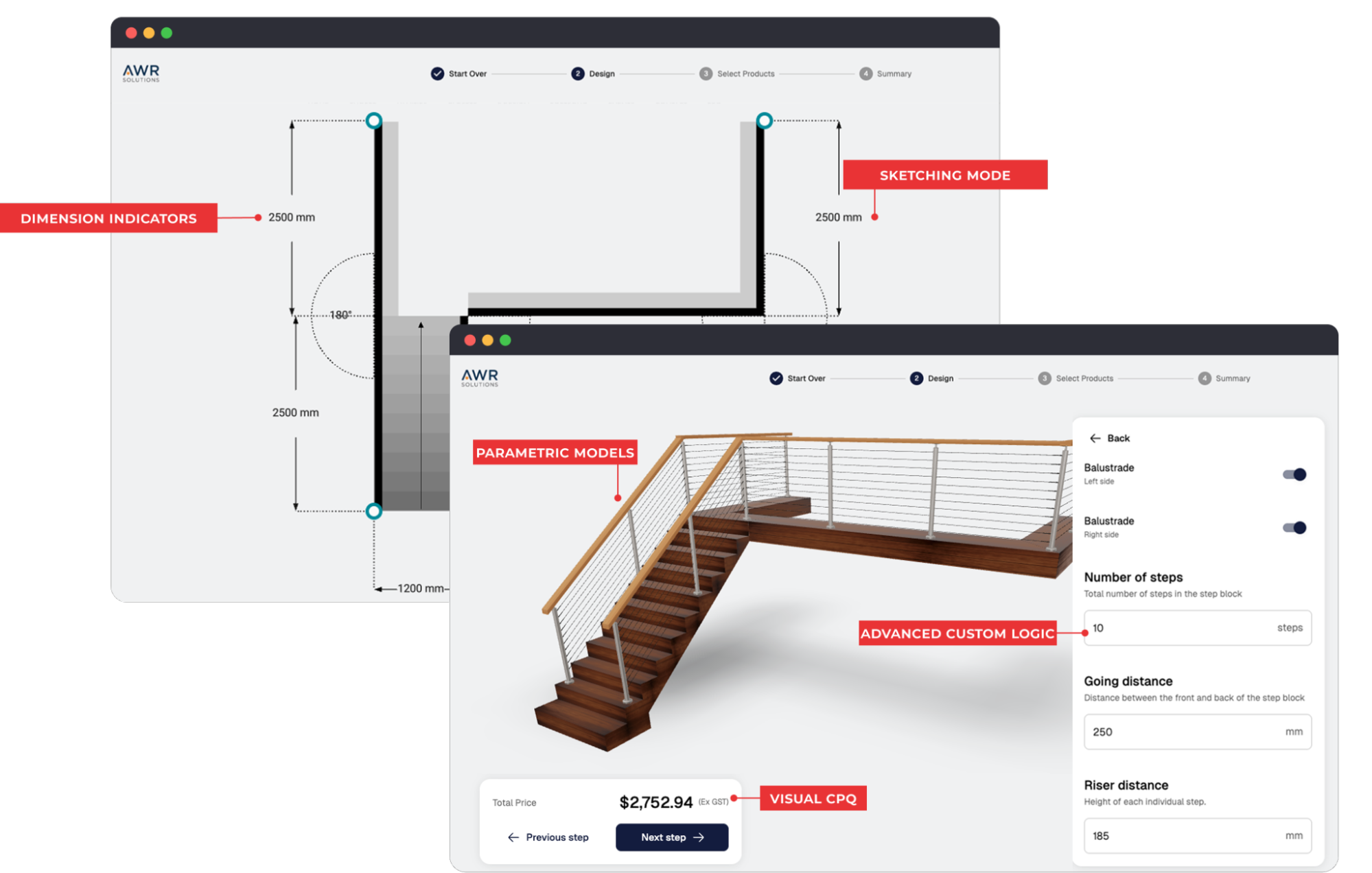
Salsita is an end-to-end manufacturing product configurator for companies selling complex, customizable, modular, or made-to-order products. Built for businesses where configuration drives both sales and production – from 3D design to pricing, quoting, and manufacturing outputs.
Manufacturers where product configuration is the business model, not just a feature. Companies selling custom, made-to-order products across multiple channels – customer-facing, dealer, and internal sales – that need the configurator to connect design, sales, and production.
Key Features for Manufacturers:
- Advanced parametric models with millimeter precision for custom dimensions, angles, and structural rules
- High-fidelity 3D visualization for manufacturing with real-time updates
- Modular configuration for multi-part products and assemblies
- Visual CPQ with real-time pricing as products change
- Role-based access for buyers, dealers, and internal sales teams
- Sketching mode for drawing 2D layouts, site plans, or room plans before switching to 3D
- Advanced AI assistant that recommends and applies changes in natural language
- Manufacturing outputs: CAD files, BOMs, cut lists, CNC-ready data
- ERP, CRM, PIM, and ecommerce integrations
- AR product previews
Pros
- Built specifically for complex, modular, and made-to-order manufacturing products
- Parametric models keep custom dimensions, components, and structural rules accurate in real time
- Supports multi-channel selling: customer-facing, dealer portals, and internal sales workflows from a single platform
- Connects 3D visualization for manufacturing, pricing, quoting, order data, and production outputs end to end
- AI Assistant guides buyers through configuration in natural language
- More accessible pricing and faster implementation than other enterprise platforms
Cons
- Requires structured product logic and configuration rules before deployment
- Less suited for manufacturers with very simple, catalog-only product lines
Salsita is the best manufacturing product configurator on this list. It is the only platform that combines advanced parametric 3D configuration, a modern buyer and dealer experience, real-time CPQ, deep system integrations, and full manufacturing outputs in a single platform. Salsita delivers the full workflow at an accessible price point with faster implementation than enterprise platforms like Tacton or Threekit.
2. Tacton
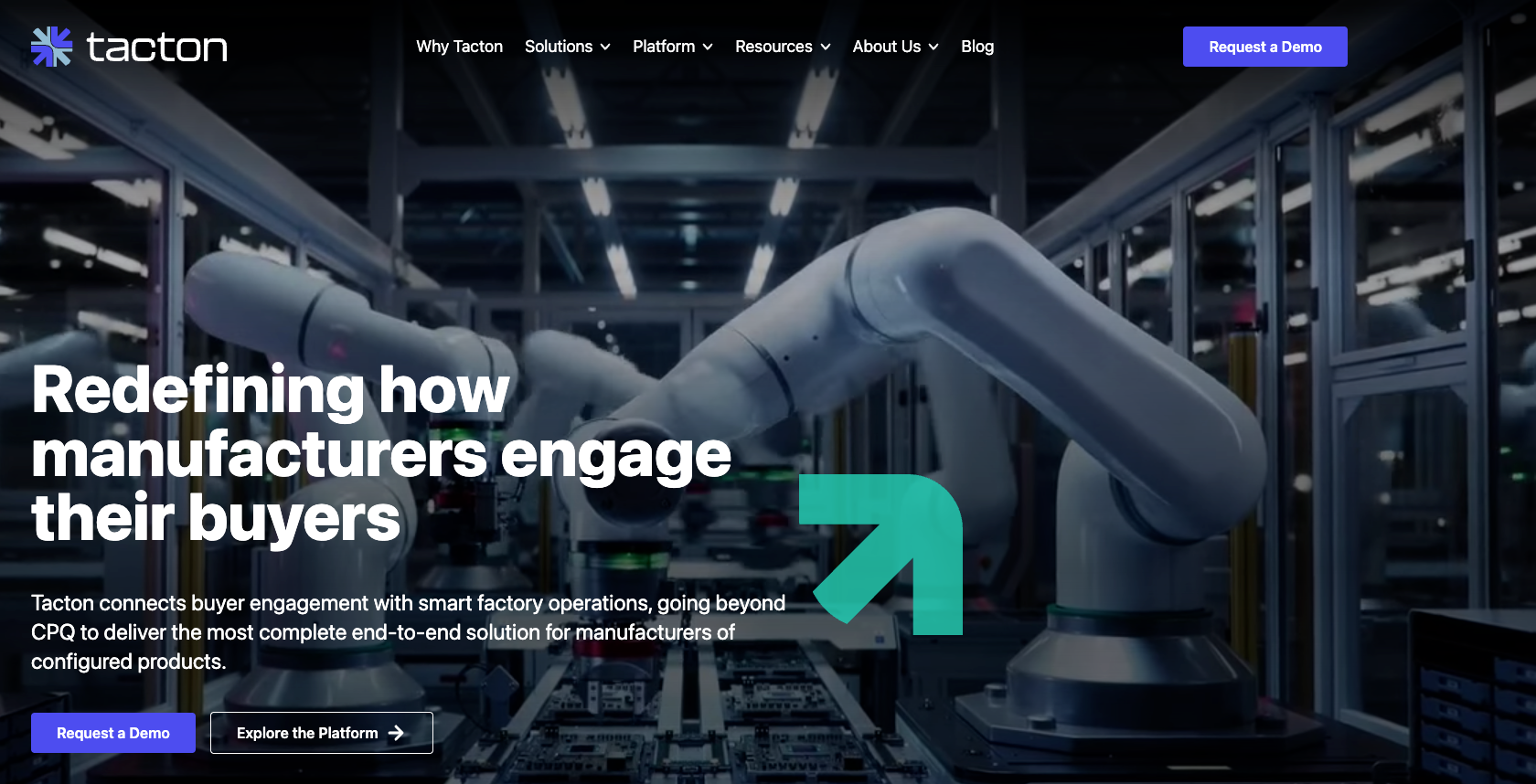
Tacton is an enterprise-grade CPQ platform built for industrial manufacturers. It combines a constraint-based configuration engine with 3D visualization, CAD automation, and guided selling.
Large industrial manufacturers with highly complex product portfolios, thousands of engineering rules, and enterprise-scale CPQ requirements
Key Features for Manufacturers:
- CAD automation
- BOM generation from every configuration
- Layout planning for space and floor plan validation
- Omni-channel CPQ: direct sales, dealers, and self-service ecommerce
- ERP, CRM, and PIM integrations
Pros
- Powerful constraint-based configuration engine
- CAD automation connects sales configuration to engineering outputs
- Supports complex pricing models and proposal generation
Cons
- Premium enterprise pricing, typically beyond what most manufacturers budget for
- Implementation timelines of 6–8 months, compared to weeks with more agile platforms like Salsita
- Users and administrators need significant training before they can work independently
- Limited control over UX, flow, and frontend design compared to platforms like Salsita that build around your brand
- 3D visualization quality lags behind platforms built with the buyer experience in mind
Tacton works for the largest industrial manufacturers that need enterprise CPQ at global scale and have the budget and timeline to match. But for most manufacturers, it is more than they need and more than they want to pay. Salsita goes live in 10–12 weeks, delivers a fully custom UI and UX built around your brand and product, and costs less – with a one-time setup and no per-transaction fees. If you want a manufacturing product configurator that feels modern and intuitive for buyers and dealers, not just powerful under the hood, Salsita is the better fit.
3. Threekit
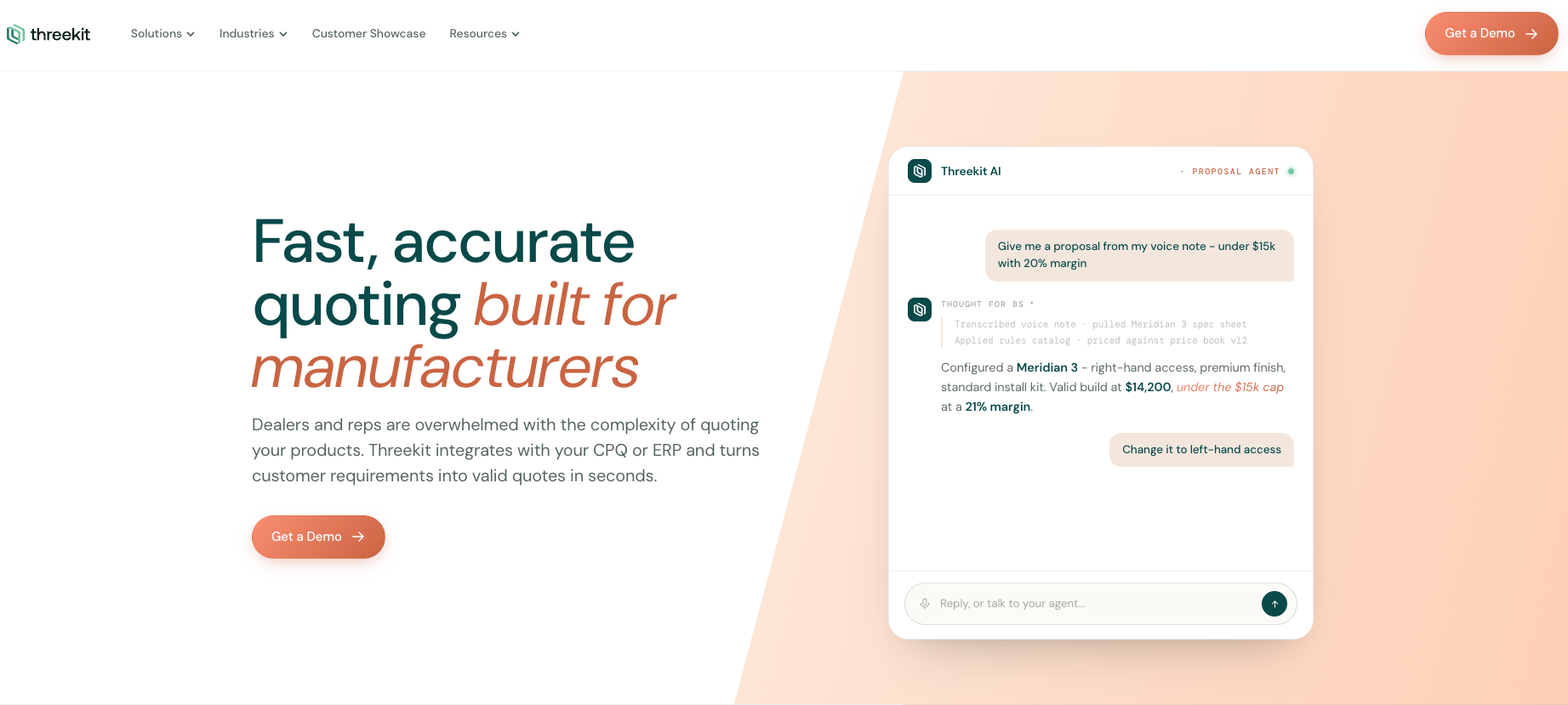
Threekit is an enterprise visual commerce platform that combines 3D product configuration, AI-powered guided selling, AR, and manufacturing outputs.
Enterprise manufacturers that prioritize visual product experiences, guided selling, and AI-driven lead capture across websites, dealer networks, and sales teams.
Key Features for Manufacturers:
- Augmented reality (AR) capabilities
- Guided selling workflows
- Instant quoting functionality
- Manufacturing outputs (BOM, CAD)
- Multi-platform integrations
- Integrations with ERP and PIM
Pros
- High-quality 3D rendering and photorealistic visuals
- Handles large SKU counts and complex variants
- Scales to large product catalogs and high traffic
- Manufacturing outputs including CAD and BOM
Cons
- Premium enterprise pricing
- Implementation timelines of 3–6+ months
- Slow to iterate once deployed
Threekit is primarily a visual commerce platform. It delivers strong visuals and AI-driven selling. But for manufacturers that need the configurator to handle continuous dimension changes, structural rules, and production-ready outputs as a core part of the workflow, Salsita is a more flexible, more manufacturing-focused, and more cost-effective choice.
4. DriveWorks
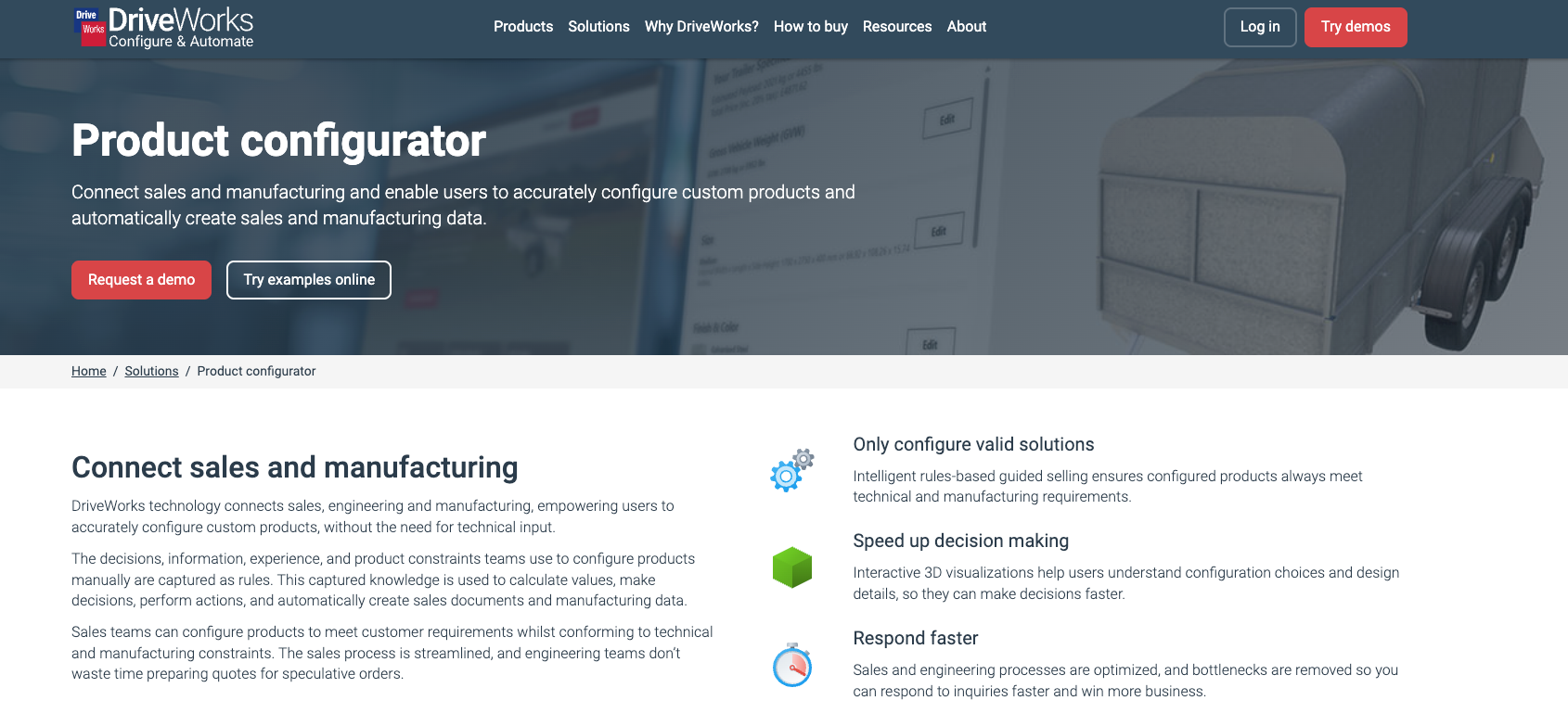
DriveWorks is a CPQ and design automation platform built specifically for manufacturers using Solidworks. It connects product configuration directly to Solidworks 3D models, automatically generating order-specific manufacturing data including parts, assemblies, and drawings.
Manufacturers already using Solidworks who want to automate design-to-order workflows and let sales teams, dealers, or customers configure products without involving engineering for every order.
Key Features for Manufacturers:
- Rules-based configuration tied directly to Solidworks models
- Automatic generation of order-specific Solidworks parts, assemblies, and drawings
- CPQ with dynamic pricing and quoting
- Sales documentation automation
- Integration capabilities with ERP, CRM, and other systems
Pros
- Generates production-ready outputs directly from configuration
- Eliminates repetitive engineering tasks through design automation
- Proven in engineer-to-order and design-to-order manufacturing
Cons
- Locked into the Solidworks ecosystem. If your engineering team uses anything else, DriveWorks is not an option
- 3D visualization for manufacturing in the browser is basic compared to other platforms
- Web-based UX feels like a legacy tool more than a modern buying experience
- Building configuration rules requires significant effort and Solidworks expertise
- Not built for customer-facing or dealer-facing online selling
- No AI-assisted configuration or conversational features
DriveWorks is a design automation tool that works well inside the Solidworks ecosystem, but it is not a full manufacturing product configurator. Its strength is generating Solidworks outputs, not delivering a modern buyer or dealer-facing experience. Salsita covers a broader range of manufacturing needs – parametric precision, production-ready outputs, and a modern visual experience – without being locked into a single CAD ecosystem.
5. Epicor CPQ
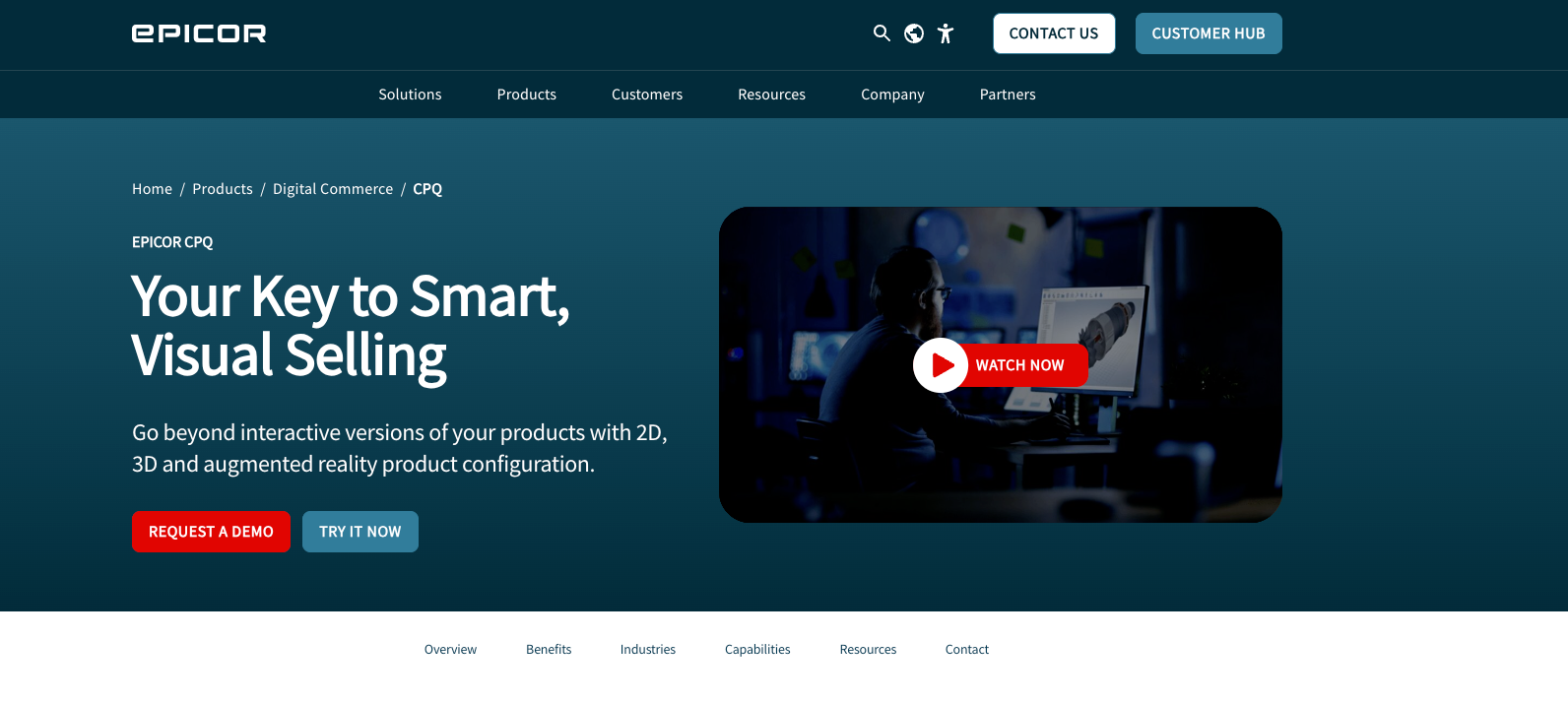
Epicor CPQ (formerly KBMax) is a configure, price, quote solution designed for manufacturers selling complex products. It combines a rules engine with 3D visualization, CAD automation, and BOM generation, supporting the full workflow from sales configuration to manufacturing output.
Mid-market to enterprise manufacturers that need engineer-to-order automation with visual configuration, particularly those already in the Epicor ecosystem.
Key Features for Manufacturers:
- CAD file and BOM generation from configurations
- Dynamic pricing with real-time quote generation
- ERP and ecommerce integrations
- Multi-channel support: sales reps, distributors, and customer self-service
Pros
- Engineer-to-order automation with CAD and BOM generation
- No-code rules engine lowers the barrier for building configuration logic
- Well suited for organizations prioritizing quoting automation
Cons
- Designed primarily for CPQ and quoting workflows rather than advanced product configuration
- Visual configuration capabilities are more limited compared to dedicated 3D configurator platforms
- Modeling highly configurable or dimension-driven products can require additional setup
- Product configuration often sits within the broader Epicor ecosystem rather than as a standalone configurator platform
Epicor CPQ works well for manufacturers focused on automating quoting and sales configuration processes. But manufacturers managing complex configurable products across multiple markets, sales channels, and production workflows will likely find it limiting. For those teams, Salsita offers a more flexible platform built specifically for advanced 3D product configuration, multi-channel deployment, and manufacturing-ready outputs.
6. Configit
Configit is a configuration data platform focused on aligning product configuration rules across sales, engineering, and manufacturing. It uses a patented compilation-based technology to validate configurations, and its lifecycle management approach is designed for organizations where consistent configuration data across departments is the priority.
Large enterprise manufacturers where the main challenge is keeping configuration data consistent across PLM, ERP, CRM, and sales – rather than delivering a visual buyer-facing configuration experience.
Key Features for Manufacturers:
- Compilation-based configuration engine for validated configurations
- Lifecycle management approach for shared configuration data across departments
- CPQ capabilities
- PLM, ERP, and CRM integrations
Pros
- Strong at aligning configuration data across engineering, sales, and manufacturing
- Handles product models with thousands of rules and options
- Deep enterprise system integrations
Cons
- Primarily a configuration data platform. 3D visualization exists but is not a core strength
- Enterprise-only: pricing, implementation, and complexity are a deterrent for most manufacturers
- Steep learning curve for product modelers, requires specialized expertise
- Stronger at solving back-office data consistency than at delivering a modern selling experience
Configit solves a real but narrow problem: keeping configuration data consistent across PLM, ERP, and sales systems. For manufacturers where that is the main challenge, it can add value. But most manufacturers looking for a 3D configurator want a platform that also delivers a modern visual buying experience, real-time pricing, multi-channel access, and production outputs. For that, Salsita is the clear choice.
7. Expivi
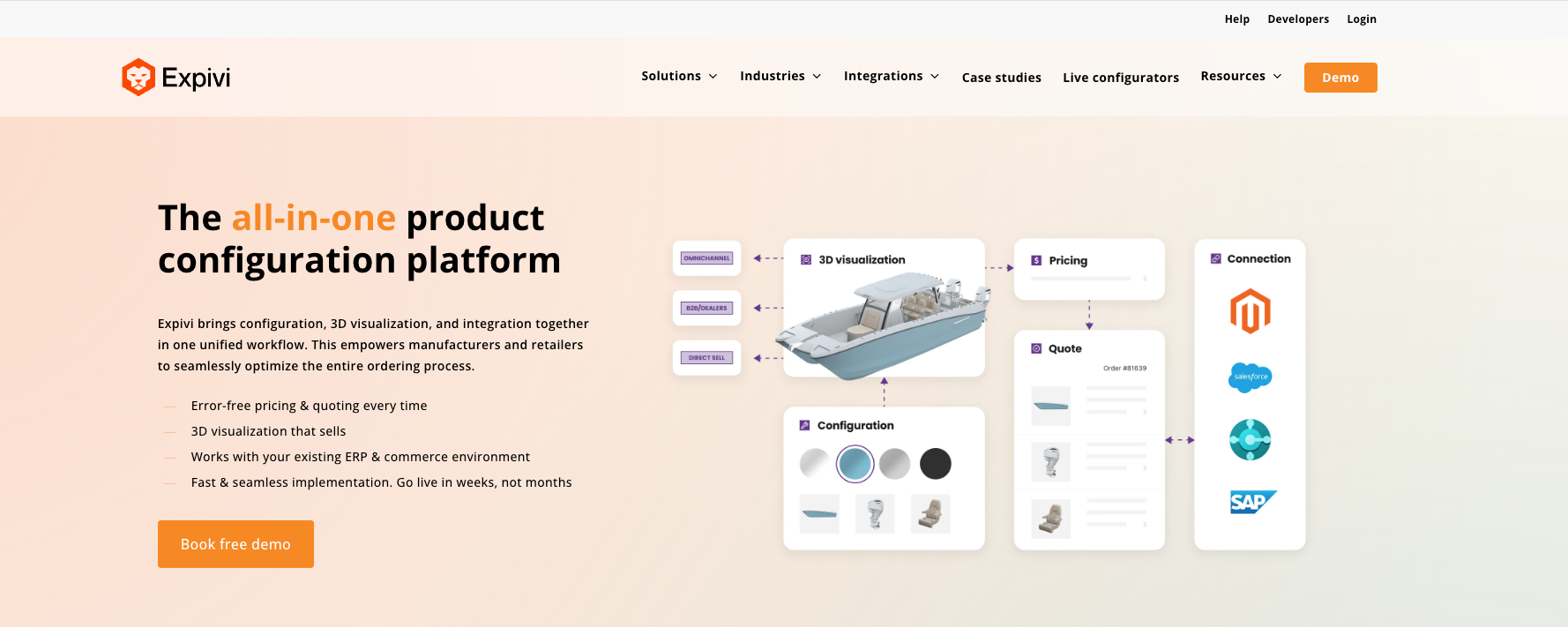
Expivi is a 3D product configurator with integrated pricing and ecommerce capabilities, designed for mid-market brands and manufacturers selling standardized configurable products.
Manufacturers selling standardized configurable products that need strong 3D visualization and integrated pricing, but have less advanced parametric, multi-channel, or engineer-to-order workflow requirements.
Key Features for Manufacturers:
- Built-in CPQ with dynamic pricing
- AR visualization
- Ecommerce platform integrations
- ERP and PIM integration
- Design-to-print functionality
Pros
- Reasonable pricing compared to enterprise CPQ platforms
- Ecommerce-friendly deployment model
- Handles simple, standardized configurable products well
Cons
- Parametric modeling cannot handle advanced constraints, custom angles, or continuous dimension changes
- Manufacturing outputs like BOM generation exist but are less mature compared to dedicated manufacturing configurators
- Less suited to complex, modular, or made-to-order products with deep engineering rules
- Multi-channel capabilities are less developed for role-based workflows across buyers, dealers, and internal sales
Expivi works well as a visual configurator for standardized products in ecommerce. But once products require deep parametric modeling, complex engineering constraints, or advanced multi-channel workflows with differentiated user roles, Expivi starts to show its limits. For manufacturers that need a configurator built for made-to-order complexity and production-ready outputs, Salsita is in a different category.
How to Choose Your Manufacturing Product Configurator
Choosing the right manufacturing product configurator starts with one question: what role should configuration play in your business?
For some manufacturers, the configurator only needs to help sales teams build quotes faster. For others, it needs to manage the full workflow from 3D product configuration and pricing to order data, system integrations, and manufacturing outputs.
Here is what to check before choosing.
1. Start With Product Complexity
A simple product customizer may work if buyers only choose colors, finishes, or fixed options from a catalog.
But if your products involve custom dimensions, modular assemblies, structural constraints, compatibility rules, or made-to-order logic, you need an advanced manufacturing product configurator.
- Standardized configurable products: Expivi, Epicor CPQ
- Parametric, made-to-order products: Salsita, Tacton, DriveWorks
- Enterprise configuration data alignment: Configit
- Visual commerce with manufacturing capabilities: Threekit
2. Consider Who Will Use It
If only your internal sales team configures, a CPQ-first tool like Tacton or Epicor CPQ may work.
But if buyers, dealers, and internal sales teams all need access to the same configurator with different pricing, permissions, and workflows, you need a platform with role-based access and multi-channel deployment.
Salsita and Threekit both support multi-audience workflows from a single platform. Tacton supports omni-channel as well, but with a heavier enterprise implementation. DriveWorks supports multiple user types but is less focused on buyer-facing visual experiences.
3. Check What Happens After the Order
A good manufacturing product configurator does more than show buyers a pretty 3D model. It needs to support what happens after the order is placed.
For simple products, an order summary or parts list may be enough. For made-to-order manufacturing, you likely need CAD files, BOMs, CNC data, cut lists, or structured configuration data that feeds directly into production.
- Order summaries and parts lists: Expivi
- CAD files and BOMs: Salsita, Tacton, Threekit, DriveWorks, Epicor CPQ
- Full design-to-production automation: Salsita, Tacton, DriveWorks
- Configuration data alignment across PLM and ERP: Configit
4. Match the Configurator to Your Existing Systems
Check whether the configurator works with your current systems.
Most manufacturers rely on ERP for production planning, PIM for product data, CRM for customer management, and sometimes a PLM system for engineering data. If your business depends on SAP, Salesforce, PTC Windchill, or similar platforms, make sure the configurator connects to them instead of creating another disconnected workflow.
5. Be Realistic About Budget and Implementation
Enterprise platforms like Tacton and Configit offer deep capabilities but come with premium pricing and long implementation timelines. Mid-market tools like Expivi are faster to deploy but may not scale with your product complexity. Epicor CPQ sits in between, with solid capabilities and transparent per-user pricing.
Salsita offers advanced parametric modeling, multi-channel support, and manufacturing outputs at a more accessible price point, with faster implementation than traditional enterprise CPQ.
Wrapping Up: Your Configurator Should Work Like Your Factory Does
A strong manufacturing product configurator helps buyers and sales teams configure a product – and makes the next step easier for engineering, production, and operations.
For standardized products, that may mean a visual preview and a quote. For complex, made-to-order products, the configurator needs to carry accurate dimensions, rules, pricing, order data, and production files forward without creating manual rework at every handoff.
Salsita 3D Configurator is built for exactly this – connecting the buying experience with the systems and workflows behind it, from the first 3D configuration to the final production file.
Ready for your buyers, dealers, and sales teams to configure, price, and order complex products – while your production team gets the data to build them?
Want to see how this could work for your products?
Book a demoFAQ
What is a Manufacturing Product Configurator?
A manufacturing product configurator lets buyers, dealers, and sales teams configure a product in 3D before it is manufactured. Depending on the platform, it can include parametric modeling, real-time pricing, quoting, order data, and manufacturing outputs like CAD files and BOMs. Unlike ecommerce configurators, a manufacturing product configurator typically needs to support multiple user roles, integrate with ERP and PLM systems, and generate production-ready data.
What is the Best 3D Configurator for Manufacturing?
For standardized configurable products, tools like Expivi or Epicor CPQ can work well. For complex, made-to-order products, Salsita is the best 3D configurator for manufacturing because it combines parametric 3D configuration, real-time pricing, multi-channel support, system integrations, and production-ready outputs in a single platform.
Do Manufacturing Configurators Generate CAD Files and BOMs?
Some do. Advanced manufacturing product configurators like Salsita, Tacton, DriveWorks, and Epicor CPQ can generate production data such as CAD files, BOMs, cut lists, CNC data, and structured order information automatically. Many lighter configurators only generate visual previews or order summaries, not full manufacturing outputs.
What is Manufacturing CPQ?
Manufacturing CPQ means configure, price, quote functionality built for manufacturing workflows. It allows pricing to update in real time as users change dimensions, materials, components, or product options. Unlike ecommerce CPQ, manufacturing CPQ often needs to account for engineering constraints, multi-tier pricing, and production cost variables.
Why is 3D Visualization for Manufacturing Different From Ecommerce 3D?
3D visualization for manufacturing is not just about showing a product that looks good on a product page. In manufacturing, the 3D model needs to reflect exact dimensions, structural relationships, and engineering constraints, because what the user sees in the configurator is what the factory needs to build. This means the visualization must update in real time as parametric rules change, not just swap pre-rendered assets. Platforms like Salsita combine high-fidelity 3D visualization for manufacturing with parametric accuracy, so the visual and the production data always match.
Can a 3D Configurator Support Dealers and Internal Sales Teams?
Yes, but not all platforms do this well. Manufacturers typically sell through multiple channels: direct, through dealers, and via internal sales. Platforms like Salsita, Tacton, and Threekit support role-based access and multi-channel deployment, so different users see different options, pricing, and workflows from the same manufacturing product configurator. This is critical for manufacturers that do not sell exclusively through a single online storefront.

Camille Felappi
Camille is a B2B digital marketing specialist, focusing on SEO and content creation. She helps businesses connect with their target audience using data-driven and creative strategies.
Personalized demo with our VP
Stop Losing Deals to Confusing Catalogs
Book a 30-minute call – bring one product, leave with a working 3D configurator prototype and a clear implementation timeline.



Bring one product link – leave with a clear next step.
































Related Articles

Can You Vibe Code a 3D Configurator? We Tested It
Yes, you can vibe code a 3D configurator, but mainly as a prototype. We tested GPT-6 Astra on a real table configurator: here's what AI built well, and where the product logic broke.

What Features Should You Look for in Configurator Software?
Most configurator software evaluations focus on visuals, but ROI comes from the rules engine, pricing logic, and manufacturing outputs. Learn what to test.

7 Best Zakeke Alternatives in 2026
Zakeke is one of the most popular product customization platforms for ecommerce. But popularity does not mean it is the right fit for every business. This guide compares seven alternatives by features, pricing, and trade-offs.